
We provide SuperMoose App Time online (apkid: com.supermooseapps.apptime) in order to run this application in our online Android emulator.
Description:
Run this app named SuperMoose App Time using MyAndroid.
You can do it using our Android online emulator.
Overview
SuperMoose App Time helps you or a person that you care about to reclaim productivity lost to excessive usage of an app.
SuperMoose allows
for a an app that is being excessively used be selected for monitoring.
Once selected, a warning and final timeouts can be set.
The monitored app can also be set to be killed after timing out.
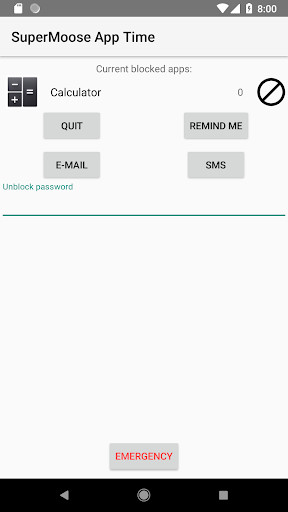
When the warning timeout is reached, a dialog appears, notifying the user.
From there, the user can continue using the monitored app until the final timeout is reached or the app is killed.
In addition,
SuperMoose's blocking can be swiped away for 15-seconds at a time.
This allows the monitored app to be gracefully shut down.
SuperMoose resets all application monitoring timings at midnight.
Once installed, SuperMoose does not require a network connection.
All settings are stored on the device.
SuperMoose is patent pending through U.S.
Publication No.
2020/0026523.
The final user interface for SuperMoose is in round 2 of user testing and is day and night better.
Privacy
By default, no information other than what is used by the Google Licensing Library ("lvl") leaves the device.
Optionally, diagnostic information and logging can be enabled.
The information is stored on Microsoft Azure servers.
This information is only used for diagnosing issues and improving the product.
Diagnostic information is equivalent to taking a car to a repair shop.
Permissions Used
SuperMoose requires Accessibility permissions to operate.
SuperMoose filters the package names of apps supplied from the accessibility support in Android in order to figure out when an app is running or not.
The Usage Stats permission is used to figure out how long an application has been running preceding monitoring.
If this permission is not enabled, then the timeouts used for monitoring will not take into account the total amount of time that the app has been running for the entire day.
The Location permission is no longer used and will be removed in a future version.
It makes no difference if this is enabled or disabled.
The Draw on top of other apps permission is only necessary if the application timeout blocking window fails to appear.
If an application timeout window fails to appear, please try enabeling this permission.
The Contacts permission is used for getting a list of recipients for more app time requests.
In a future version, it will be moved to prompt when an email request must be sent.
MyAndroid is not a downloader online for SuperMoose App Time. It only allows to test online SuperMoose App Time with apkid com.supermooseapps.apptime. MyAndroid provides the official Google Play Store to run SuperMoose App Time online.
