
We provide OCR: My Text Scanner online (apkid: com.prashanth.rohit.textrecognition) in order to run this application in our online Android emulator.
Description:
Run this app named OCR: My Text Scanner using MyAndroid.
You can do it using our Android online emulator.
Do you still copy text by typing a long URL, Phone Number, or a contact with a lot of details? Use the OCR: My Text Scanner App instead.
You can conveniently save time by taking a picture of the object, image, notebook to scan the text that is present in it.
The App lets you convert images of typed, handwritten or printed text into machine-encoded text .
Features of OCR: My Text Scanner App -
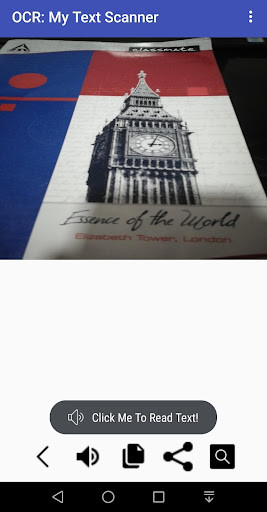
1) SCAN: Use the app to quickly Detect Text like notes, receipts, contact details, text from objects, screens, handwritten notes etc
2) TEXT TO SPEECH: Convert this scanned Text to Speech.
Languages supported for Text To Speech are : -
-English
-French
-German
-Chinese
-Japanese
-Italian
-Taiwan
3) COPY: You can copy the Scanned Text to Clipboard and you can paste them to another location [ document, Email or another Application ] .
4) SHARE: Share the scanned text to your friends on Whatsapp and customize them before sending.
5) SEARCH: Search the Net to get the Google Meaning of your Scanned Text.
Permissions:
1) Camera
2) Internet
Please share and support .
For queries , please contact: [email protected]
You can conveniently save time by taking a picture of the object, image, notebook to scan the text that is present in it.
The App lets you convert images of typed, handwritten or printed text into machine-encoded text .
Features of OCR: My Text Scanner App -
1) SCAN: Use the app to quickly Detect Text like notes, receipts, contact details, text from objects, screens, handwritten notes etc
2) TEXT TO SPEECH: Convert this scanned Text to Speech.
Languages supported for Text To Speech are : -
-English
-French
-German
-Chinese
-Japanese
-Italian
-Taiwan
3) COPY: You can copy the Scanned Text to Clipboard and you can paste them to another location [ document, Email or another Application ] .
4) SHARE: Share the scanned text to your friends on Whatsapp and customize them before sending.
5) SEARCH: Search the Net to get the Google Meaning of your Scanned Text.
Permissions:
1) Camera
2) Internet
Please share and support .
For queries , please contact: [email protected]
MyAndroid is not a downloader online for OCR: My Text Scanner. It only allows to test online OCR: My Text Scanner with apkid com.prashanth.rohit.textrecognition. MyAndroid provides the official Google Play Store to run OCR: My Text Scanner online.
