

We provide glinet online (apkid: xyz.goodcloud.glinet) in order to run this application in our online Android emulator.
Description:
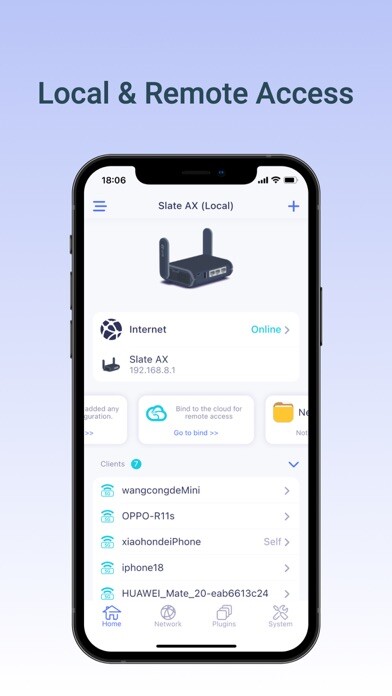
Run this app named glinet using MyAndroid.
You can do it using our Android online emulator.
For setup GL-B2200(Velica) and other GL.iNet routers with firmware version 3.201 and above.
The GL.iNet Mobile app gives you convenient access to your routers features anywhere and anytime:
Basic Setup: Setup and change the password of your devices.
Discover the real-time traffic in both mesh & guest network.
Block unwanted users that share your Wi-Fi network.
Mesh Network: Build up your home mesh network.
Step-by-step guidelines for setting up sub-nodes within your house.
VPN Setup: Easily configure selected OpenVPN and WireGuard VPN for your private home network.
Live Router Status: Real-time performance checklist of your devices, including memory storage and CPU load data.
Easily pause Wi-Fi, update firmware, turn off LED lights on the router, and more!
Compatible GL.iNet Devices (Model No.):
GL-SFT1200 / Opal 3.204
GL-SF1200 3.202
GL-AX1800 / Flint 3.206
GL-B2200 / Velica
GL-AR750S / Slate 3.201
GL-MT1300 / Beryl 3.201
GL-MT300N-V2 / Mango 3.201
GL-AR150 / White 3.201
GL-AR300M / Shadow 3.201
GL-AR750 / Creta 3.201
GL-E750 / Mudi 3.201
GL-MiFi 3.201
GL-USB150 / Microuter 3.201
GL-X300B / Collie 3.201
GL-X750 / Spitz 3.201
GL-XE300 / Puli 3.201
GL-MV1000W / Brume-W 3.201
microuter-N300 3.201
The GL.iNet Mobile app gives you convenient access to your routers features anywhere and anytime:
Basic Setup: Setup and change the password of your devices.
Discover the real-time traffic in both mesh & guest network.
Block unwanted users that share your Wi-Fi network.
Mesh Network: Build up your home mesh network.
Step-by-step guidelines for setting up sub-nodes within your house.
VPN Setup: Easily configure selected OpenVPN and WireGuard VPN for your private home network.
Live Router Status: Real-time performance checklist of your devices, including memory storage and CPU load data.
Easily pause Wi-Fi, update firmware, turn off LED lights on the router, and more!
Compatible GL.iNet Devices (Model No.):
GL-SFT1200 / Opal 3.204
GL-SF1200 3.202
GL-AX1800 / Flint 3.206
GL-B2200 / Velica
GL-AR750S / Slate 3.201
GL-MT1300 / Beryl 3.201
GL-MT300N-V2 / Mango 3.201
GL-AR150 / White 3.201
GL-AR300M / Shadow 3.201
GL-AR750 / Creta 3.201
GL-E750 / Mudi 3.201
GL-MiFi 3.201
GL-USB150 / Microuter 3.201
GL-X300B / Collie 3.201
GL-X750 / Spitz 3.201
GL-XE300 / Puli 3.201
GL-MV1000W / Brume-W 3.201
microuter-N300 3.201
MyAndroid is not a downloader online for glinet. It only allows to test online glinet with apkid xyz.goodcloud.glinet. MyAndroid provides the official Google Play Store to run glinet online.
