

We provide No Touch - Lock your phone screen online (apkid: viaweb.notouch) in order to run this application in our online Android emulator.
Description:
Run this app named No Touch - Lock your phone screen using MyAndroid.
You can do it using our Android online emulator.
**New Feature: Show/ Hide lock icon by activate/deactivate it from notification bar**
Notouch is a simple but useful app that helps you to lock the screen temporarily to prevent unauthorized clicks or to go to other apps from the current screen.
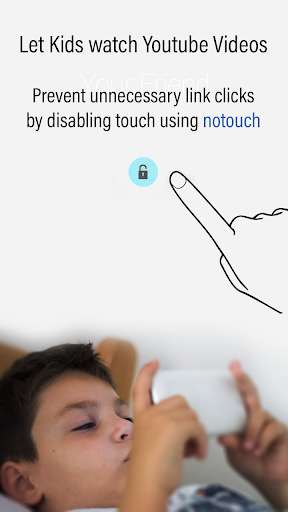
This is especially useful when you give your Phone to kids to view videos or Youtube.
This app will disable the touch facility, So that your kids will not click for other videos or go to other links without your permission.
You can also lock your screen while making Video calls, so that accidental touches can be prevented.
Extremely helpful when you want to play videos to listen only audio, while in your pocket
------------ HOW IT WORKS--------------------
--Install Notouch
-- Open the App and Enable Lock
-- A lock icon appear on your screen
-- Enable it
-- You will now have the option to use a password
-- Or use the basic lock/unlock option
-- Once enabled you can see a Lock icon on the top of the screen
-- To unlock/ lock the screen, just double-tap on the lock icon
That's it.
: )
Notouch is a simple but useful app that helps you to lock the screen temporarily to prevent unauthorized clicks or to go to other apps from the current screen.
This is especially useful when you give your Phone to kids to view videos or Youtube.
This app will disable the touch facility, So that your kids will not click for other videos or go to other links without your permission.
You can also lock your screen while making Video calls, so that accidental touches can be prevented.
Extremely helpful when you want to play videos to listen only audio, while in your pocket
------------ HOW IT WORKS--------------------
--Install Notouch
-- Open the App and Enable Lock
-- A lock icon appear on your screen
-- Enable it
-- You will now have the option to use a password
-- Or use the basic lock/unlock option
-- Once enabled you can see a Lock icon on the top of the screen
-- To unlock/ lock the screen, just double-tap on the lock icon
That's it.
: )
MyAndroid is not a downloader online for No Touch - Lock your phone screen. It only allows to test online No Touch - Lock your phone screen with apkid viaweb.notouch. MyAndroid provides the official Google Play Store to run No Touch - Lock your phone screen online.
