

We provide TS Warehouse online (apkid: sk.teamsoft.sklad) in order to run this application in our online Android emulator.
Description:
Run this app named TS Warehouse using MyAndroid.
You can do it using our Android online emulator.
Quick and easy inventory check directly from your mobile device.
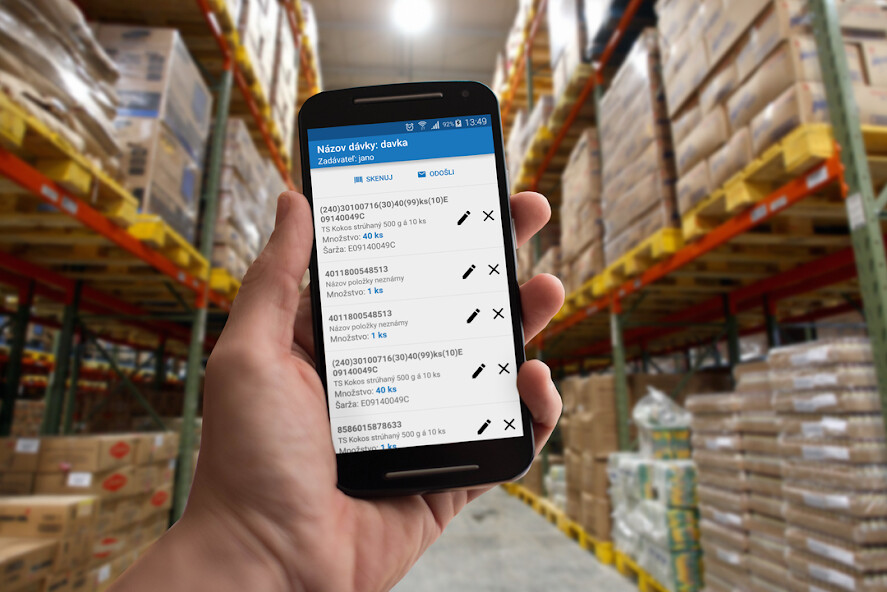
Application designed to scan and recognize barcodes.
Barcodes read in the current batch can be modified, and then sent to the server for further processing.
Ideal for (not just) these use cases:
- warehouse - user scans the barcode of the product / packaging (both 1D and 2D barcodes are supported) and sees detailed information immediately - item's name, quantity (2D codes), measure unit (2D codes), and LOT/serial number of the product according to the available product list
- Intake / Outtake based on a document - the application displays the current status of the document and document items with desired quantity (possibility to sort by name, by weight, by status)
- Intake / Outtake without a document - with the choice of a specific type of movement and specific warehouse
- Inventory - barcode scanning of assets (type, age, current book value)
- Warehouse transfers
- Any collection and export of data in the form of barcodes
As well features overviews of:
- warehouses
- warehouse movements
- warehouse status
- printing labels via Bluetooth on supported Zebra printers
As of version 2.0, Linemi.house is officially supported as import/export system
Supported barcode types include: UPC, EAN, 128, QR, DataMatrix, PDF417 and other.
Application designed to scan and recognize barcodes.
Barcodes read in the current batch can be modified, and then sent to the server for further processing.
Ideal for (not just) these use cases:
- warehouse - user scans the barcode of the product / packaging (both 1D and 2D barcodes are supported) and sees detailed information immediately - item's name, quantity (2D codes), measure unit (2D codes), and LOT/serial number of the product according to the available product list
- Intake / Outtake based on a document - the application displays the current status of the document and document items with desired quantity (possibility to sort by name, by weight, by status)
- Intake / Outtake without a document - with the choice of a specific type of movement and specific warehouse
- Inventory - barcode scanning of assets (type, age, current book value)
- Warehouse transfers
- Any collection and export of data in the form of barcodes
As well features overviews of:
- warehouses
- warehouse movements
- warehouse status
- printing labels via Bluetooth on supported Zebra printers
As of version 2.0, Linemi.house is officially supported as import/export system
Supported barcode types include: UPC, EAN, 128, QR, DataMatrix, PDF417 and other.
MyAndroid is not a downloader online for TS Warehouse. It only allows to test online TS Warehouse with apkid sk.teamsoft.sklad. MyAndroid provides the official Google Play Store to run TS Warehouse online.
