

We provide password create,save,manage online (apkid: sarani.passwordmanager) in order to run this application in our online Android emulator.
Description:
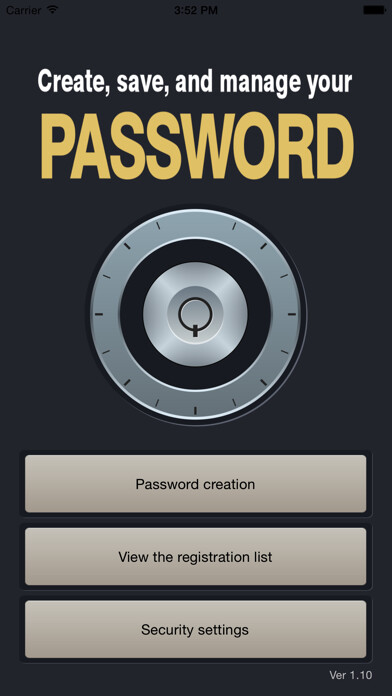
Run this app named password create,save,manage using MyAndroid.
You can do it using our Android online emulator.
A simple application that allows you to create, save, and manage your password easily.
This application is provided free of charge, though there will be some pop-up advertisements.
[ Password creation ]
- You can specify the number of characters between 4 and 16.
- You can select character types from among numbers and alphabet (upper/lower cases).
- The created password can be copied (pasted onto the clipboard) and pasted into other applications etc.
[ Password saving ]
- You can set a registration name to the created password before saving it.
- The password and the ID can be saved as a set.
[ Password management ]
- The registered content can be confirmed as a list
- You can change the registration name, ID, and password in the content confirmation
- The ID and password can be copied (pasted onto the clipboard) and pasted into other applications etc.
- You can register and manage up to 50 entries.
- The application can be locked using the security settings
- The application will be unlocked upon checking the 4-digit numeric password
- The security settings can be switched between ON and OFF
!! Please do not forget to make a note of your security setting password (4-digit number).
!! You cannot use the save and management functions if you forget the password!
!! Please be sure to back up your terminal whenever you use this application.
This application is provided free of charge, though there will be some pop-up advertisements.
[ Password creation ]
- You can specify the number of characters between 4 and 16.
- You can select character types from among numbers and alphabet (upper/lower cases).
- The created password can be copied (pasted onto the clipboard) and pasted into other applications etc.
[ Password saving ]
- You can set a registration name to the created password before saving it.
- The password and the ID can be saved as a set.
[ Password management ]
- The registered content can be confirmed as a list
- You can change the registration name, ID, and password in the content confirmation
- The ID and password can be copied (pasted onto the clipboard) and pasted into other applications etc.
- You can register and manage up to 50 entries.
- The application can be locked using the security settings
- The application will be unlocked upon checking the 4-digit numeric password
- The security settings can be switched between ON and OFF
!! Please do not forget to make a note of your security setting password (4-digit number).
!! You cannot use the save and management functions if you forget the password!
!! Please be sure to back up your terminal whenever you use this application.
MyAndroid is not a downloader online for password create,save,manage. It only allows to test online password create,save,manage with apkid sarani.passwordmanager. MyAndroid provides the official Google Play Store to run password create,save,manage online.
