
We provide Free USB Tethering online (apkid: sa.soulapps.usbtethring) in order to run this application in our online Android emulator.
Description:
Run this app named Free USB Tethering using MyAndroid.
You can do it using our Android online emulator.
USB Tethering app shares Internet connection from your smartphone data to your other devices like laptop, computers.
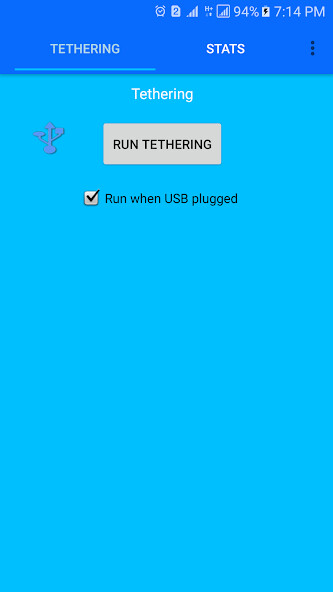
When you connect USB with your notebook, then you can easily share Internet access through USB by clicking on Run USB tethering.
The application uses the Android settings, and it is very simple to use.
When the phone with USB connector is connected to the notebook, this app will pop up automatically.
Then simply you can enable the USB Tethering without opening too many options.
APP Features:
App will detect automatically if the USB port is connected to the notebook.
Shares your Internet to other devices laptop, notebook.
Before using USB Tethering app, please check that your notebook has installed the USB Tethering driver.
You can read from Android's official site: http: //goo.gl/zg4tv
When you connect USB with your notebook, then you can easily share Internet access through USB by clicking on Run USB tethering.
The application uses the Android settings, and it is very simple to use.
When the phone with USB connector is connected to the notebook, this app will pop up automatically.
Then simply you can enable the USB Tethering without opening too many options.
APP Features:
App will detect automatically if the USB port is connected to the notebook.
Shares your Internet to other devices laptop, notebook.
Before using USB Tethering app, please check that your notebook has installed the USB Tethering driver.
You can read from Android's official site: http: //goo.gl/zg4tv
MyAndroid is not a downloader online for Free USB Tethering. It only allows to test online Free USB Tethering with apkid sa.soulapps.usbtethring. MyAndroid provides the official Google Play Store to run Free USB Tethering online.
