

We provide Tiny Keyboard online (apkid: rkr.tinykeyboard.inputmethod) in order to run this application in our online Android emulator.
Description:
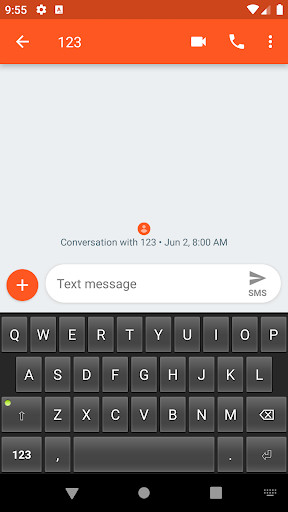
Run this app named Tiny Keyboard using MyAndroid.
You can do it using our Android online emulator.
Keyboard size: <32kB
Permissions: 0
Features: it has keys
Supported layouts: en_US
Open Source license: Apache License Version 2
No launcher icon and settings are available.
To enable the keyboard:
* Go to: System Settings - Language and Input - Virtual Keyboard - Manage Keyboards (path may be different across Android versions and brands).
* Enable the Tiny Keyboard (you may get a default warning about tracking, don't worry, it can't track what you type due to the lack of Network permission)
* Switch to Tiny Keyboard from current Input Method (differs between keyboards, usually long-press space)
Permissions: 0
Features: it has keys
Supported layouts: en_US
Open Source license: Apache License Version 2
No launcher icon and settings are available.
To enable the keyboard:
* Go to: System Settings - Language and Input - Virtual Keyboard - Manage Keyboards (path may be different across Android versions and brands).
* Enable the Tiny Keyboard (you may get a default warning about tracking, don't worry, it can't track what you type due to the lack of Network permission)
* Switch to Tiny Keyboard from current Input Method (differs between keyboards, usually long-press space)
MyAndroid is not a downloader online for Tiny Keyboard. It only allows to test online Tiny Keyboard with apkid rkr.tinykeyboard.inputmethod. MyAndroid provides the official Google Play Store to run Tiny Keyboard online.
