

We provide Attendance Manager online (apkid: rishabhgupta.speedupattendance) in order to run this application in our online Android emulator.
Description:
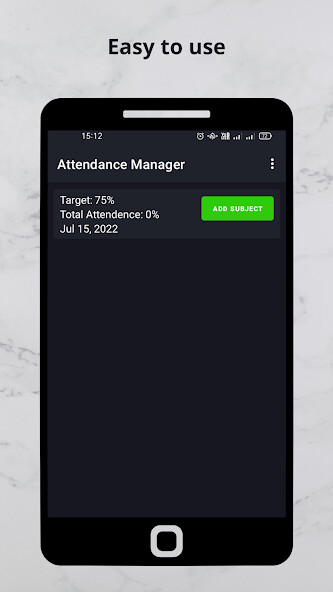
Run this app named Attendance Manager using MyAndroid.
You can do it using our Android online emulator.
Speed up attendance is a free tailor-made attendance app for school teachers and education institutions which takes care of all the responsibility from taking attendance till generation of attendance reports and graphs
Key Features of the app :
1) You can add Class and Subjects
Directions : -
- By clicking on + to add a class in manage classes
- By clicking on + to add a subject in manage subjects
3) Students can be added simply or via excel(.xls) file
Directions : -
- By click on + you can add single student .
- To add multiple students you need to have and excel sheet with one column student roll and other
one as student name (with no titles.
remember no student of same roll number should be present)
4) Scheduling Your Time table
Directions : -
- Go to My Schedule
- Long click the period you want to assign select class and subject
5) You can place Time Table Widget to home screen
Directions : -
- Go to Home Screen and long click the screen
- Select SpeedUpAttendance Widget from list on bottom of Screen
6) Notifications will displayed as per Schedule
7) Excel(xls) can be generated.
Directions : -
- Go to generate Report in Manage Attendance Section and select appropriate dates to generate
reports ( Excel will be in form of xls it can easily view from Excel app or any other xls opener app)
8) Graph representations for each schedule class
Directions : -
- Go to View Statistics
9) Student Search and its attendance data
Directions : -
- Go to Student Search in Manage Attendance
- Type the Student Name
- Click on the student to get data
- Long Click on the date to change the attendance status
Best Feature : It is Advertisement - free and eco-friendly
Points to Remember : -
1) Do not delete classes/subject/students as it may lead to deletion of attendance records for respective classes/subject/students.
(try to add correct data at the beginning only)
2) Do not update as it may lead to data loss.
if you want to do, first generate all the attendance of all classes for whole period and copy it to other location.
Voluntary Subscriptions : -
Following are the Voluntary Subscriptions available : -
Monthly Subscription : - Subscription @ Rs 10 per month with no free trial.
Three Months Subscription : - Subscription @ Rs 25 for three months with no free trials
Six Months Subscription : - Subscription @ Rs 50 for six months with no free trials
(google payments might not work for some without updating google play store.)
* If payment is debited from your payment method/account and Speed Up Attendance app is still not allowing you to enter then please wait for it to be updated .
if Still problem persists then email the problem with proof of payment (Screen Shots)
* if payment is made and you use app in paid subscription period then amount paid will not be refunded in any case.
* To Cancel go to google play store -> Subscription ->Cancel
Key Features of the app :
1) You can add Class and Subjects
Directions : -
- By clicking on + to add a class in manage classes
- By clicking on + to add a subject in manage subjects
3) Students can be added simply or via excel(.xls) file
Directions : -
- By click on + you can add single student .
- To add multiple students you need to have and excel sheet with one column student roll and other
one as student name (with no titles.
remember no student of same roll number should be present)
4) Scheduling Your Time table
Directions : -
- Go to My Schedule
- Long click the period you want to assign select class and subject
5) You can place Time Table Widget to home screen
Directions : -
- Go to Home Screen and long click the screen
- Select SpeedUpAttendance Widget from list on bottom of Screen
6) Notifications will displayed as per Schedule
7) Excel(xls) can be generated.
Directions : -
- Go to generate Report in Manage Attendance Section and select appropriate dates to generate
reports ( Excel will be in form of xls it can easily view from Excel app or any other xls opener app)
8) Graph representations for each schedule class
Directions : -
- Go to View Statistics
9) Student Search and its attendance data
Directions : -
- Go to Student Search in Manage Attendance
- Type the Student Name
- Click on the student to get data
- Long Click on the date to change the attendance status
Best Feature : It is Advertisement - free and eco-friendly
Points to Remember : -
1) Do not delete classes/subject/students as it may lead to deletion of attendance records for respective classes/subject/students.
(try to add correct data at the beginning only)
2) Do not update as it may lead to data loss.
if you want to do, first generate all the attendance of all classes for whole period and copy it to other location.
Voluntary Subscriptions : -
Following are the Voluntary Subscriptions available : -
Monthly Subscription : - Subscription @ Rs 10 per month with no free trial.
Three Months Subscription : - Subscription @ Rs 25 for three months with no free trials
Six Months Subscription : - Subscription @ Rs 50 for six months with no free trials
(google payments might not work for some without updating google play store.)
* If payment is debited from your payment method/account and Speed Up Attendance app is still not allowing you to enter then please wait for it to be updated .
if Still problem persists then email the problem with proof of payment (Screen Shots)
* if payment is made and you use app in paid subscription period then amount paid will not be refunded in any case.
* To Cancel go to google play store -> Subscription ->Cancel
MyAndroid is not a downloader online for Attendance Manager. It only allows to test online Attendance Manager with apkid rishabhgupta.speedupattendance. MyAndroid provides the official Google Play Store to run Attendance Manager online.
