
We provide HUDclock online (apkid: pl.lksoft.hudclock) in order to run this application in our online Android emulator.
Description:
Run this app named HUDclock using MyAndroid.
You can do it using our Android online emulator.
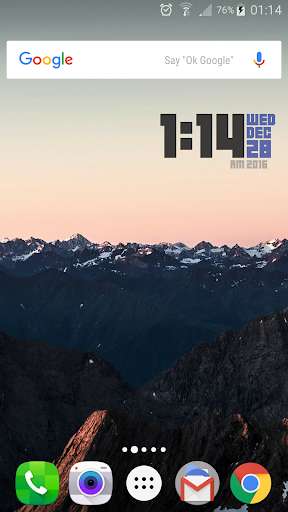
Simple, minimal, and beautiful clock widget! Pixel-prefect!
HUDclock features:
- Full color customization for three widget areas: time, date and am/pm + year
- Fully resizable
- Change font to your liking
- Launch clock, alarm or any other app on tap
- Lockscreen support (Android 4.2+)
- Add shadow
- Battery friendly!
This is inspired by YBoris's great rainmeter skin: http: //yboris.deviantart.com/art/10-Foot-HUD-YBoris-edit-105201352
SEO: Clock Widget, Date, Minimal, Minimalistic, Clean, HUD, HUD clock, time, digital, retro
HUDclock features:
- Full color customization for three widget areas: time, date and am/pm + year
- Fully resizable
- Change font to your liking
- Launch clock, alarm or any other app on tap
- Lockscreen support (Android 4.2+)
- Add shadow
- Battery friendly!
This is inspired by YBoris's great rainmeter skin: http: //yboris.deviantart.com/art/10-Foot-HUD-YBoris-edit-105201352
SEO: Clock Widget, Date, Minimal, Minimalistic, Clean, HUD, HUD clock, time, digital, retro
MyAndroid is not a downloader online for HUDclock. It only allows to test online HUDclock with apkid pl.lksoft.hudclock. MyAndroid provides the official Google Play Store to run HUDclock online.
