

We provide SudoSsh - Accessible Ssh Client online (apkid: pi2.r3n.sudossh) in order to run this application in our online Android emulator.
Description:
Run this app named SudoSsh - Accessible Ssh Client using MyAndroid.
You can do it using our Android online emulator.
Ssh Client with custom commands and voice recognition.
For any feedback or questions: [email protected]
All kinds of collaborations are wellcome.
Features
=======
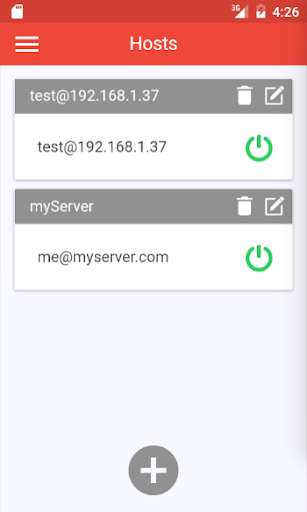
- Hosts list manager: Save and manage multiple hosts.
- Commands list manager: Save and manage your custom commands.
Configure Alias, Commandline and Voice recognition.
- Application lock code: Protect your app from being open without a code.
- Speech language configuration.
- Compatible with external keyboards.
- Encrypted database: All passwords, usernames, hostnames and commands are encrypted into database with a unique seed.
- Host Keys verification.
- Active connections manager: Allow opening multiple ssh sessions and manage them.
- Scroll buffer lines configuration.
- Terminal font resizing.
- Terminal color schemes chooser.
- Hosts keys manager.
- Copy/Paste from/into terminal.
For any feedback or questions: [email protected]
All kinds of collaborations are wellcome.
Features
=======
- Hosts list manager: Save and manage multiple hosts.
- Commands list manager: Save and manage your custom commands.
Configure Alias, Commandline and Voice recognition.
- Application lock code: Protect your app from being open without a code.
- Speech language configuration.
- Compatible with external keyboards.
- Encrypted database: All passwords, usernames, hostnames and commands are encrypted into database with a unique seed.
- Host Keys verification.
- Active connections manager: Allow opening multiple ssh sessions and manage them.
- Scroll buffer lines configuration.
- Terminal font resizing.
- Terminal color schemes chooser.
- Hosts keys manager.
- Copy/Paste from/into terminal.
MyAndroid is not a downloader online for SudoSsh - Accessible Ssh Client. It only allows to test online SudoSsh - Accessible Ssh Client with apkid pi2.r3n.sudossh. MyAndroid provides the official Google Play Store to run SudoSsh - Accessible Ssh Client online.
