
We provide Khmer Physical Keyboard online (apkid: physicalkeyboard.open.org.kh.physicalkeyboard) in order to run this application in our online Android emulator.
Description:
Run this app named Khmer Physical Keyboard using MyAndroid.
You can do it using our Android online emulator.
The extra layout for Khmer unicode when using hardware or external bluetooth keyboard.
It supports well on high smart phone running Android Version 4.2 up and Samsung smart phone running android OS from 5.0 up or it may work for some Samsung tablets as well .
How to use:
1.
Plug external keyboard via mini-usb cable converter from Phone to Keyboard.
2.
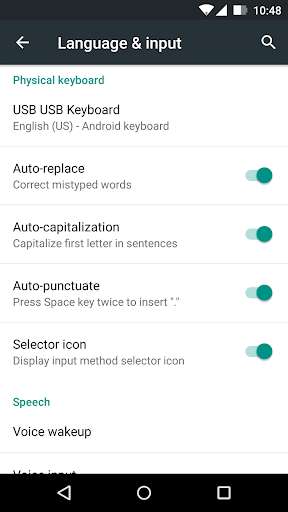
Add more keyboard layout by going to Language and Input in the Setting and check on Khmer Unicode(Open Institute)
3.
Now you can type Khmer Unicode using physical keyboard on your smart phone.
Switch Language layout by press Ctrl + Space.
It supports well on high smart phone running Android Version 4.2 up and Samsung smart phone running android OS from 5.0 up or it may work for some Samsung tablets as well .
How to use:
1.
Plug external keyboard via mini-usb cable converter from Phone to Keyboard.
2.
Add more keyboard layout by going to Language and Input in the Setting and check on Khmer Unicode(Open Institute)
3.
Now you can type Khmer Unicode using physical keyboard on your smart phone.
Switch Language layout by press Ctrl + Space.
MyAndroid is not a downloader online for Khmer Physical Keyboard. It only allows to test online Khmer Physical Keyboard with apkid physicalkeyboard.open.org.kh.physicalkeyboard. MyAndroid provides the official Google Play Store to run Khmer Physical Keyboard online.
