
We provide Alto Rotate PDF: rotate single PDF pages or files online (apkid: pdffiller.com.alto.pdfrotate) in order to run this application in our online Android emulator.
Description:
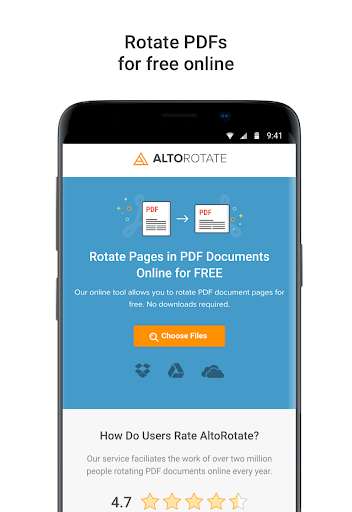
Run this app named Alto Rotate PDF: rotate single PDF pages or files using MyAndroid.
You can do it using our Android online emulator.
Rotate a PDF document with your mobile device
Those who work with documents on a daily basis know, that sometimes there is a need to rotate PDF files.
When you scan documents, it's easy to run into a mess of problems - sometimes the digital version looks different from the original, some pages may be listed in a wrong orientation, etc.
In some cases, if you want to add an image to a document and you take a photo with your camera, the photo might end up being saved in an inconveniently horizontal or vertical position.
But problems like that can easily be solved with a special rotating application.
And if you dont want to waste your time on space-consuming apps, then Alto Rotate PDF is the choice for you.
This is an online PDF rotator that's absolutely free and doesnt require any registration.
Feel free to operate on any type of document.
Rotate scanned forms, invoices, applications, contracts, agreements, and certificates with Alto Rotate PDF.
This app doesn't require any fees.
Install it on your device and perform as many rotations as you'd like without paying a cent.
Your information is absolutely safe because all files you upload are protected with an encrypted connection.
As soon as you close the app, all information is deleted from the server.
It doesnt matter what system you use - the application will seamlessly process your PDF.
And what's more, it works on any internet-connected device.
How to get started
Alto Rotate PDF makes the rotating process a breeze.
Heres a brief instructional guide on how to rotate PDF pages with this application.
You can upload a PDF document right from your mobile device.
Select the one you want to rotate from your mobile devices storage or from Google Drive or DropBox.
It takes less than a minute.
Then you will see a preview window.
Here, choose the pages you want to rotate.
You can change the orientation of any single PDF page separately or rotate the entire document at once.
After that, click the arrow icon as many times as you want until the page is in the right position.
When you finish, push the Done button to save all the changes you've made.
Download the final version to your smartphone or tablet or save it to your cloud storage.
Dont limit your opportunities.
If you want to make any further changes to your document, you may continue with editing for as long as you need.
Click Work on your PDF to fill, redact, and sign your document with our wide range of powerful tools.
MyAndroid is not a downloader online for Alto Rotate PDF: rotate single PDF pages or files. It only allows to test online Alto Rotate PDF: rotate single PDF pages or files with apkid pdffiller.com.alto.pdfrotate. MyAndroid provides the official Google Play Store to run Alto Rotate PDF: rotate single PDF pages or files online.
