

We provide USB Drive Data Recovery Help online (apkid: pan.drive.data.recovery.advisor) in order to run this application in our online Android emulator.
Description:
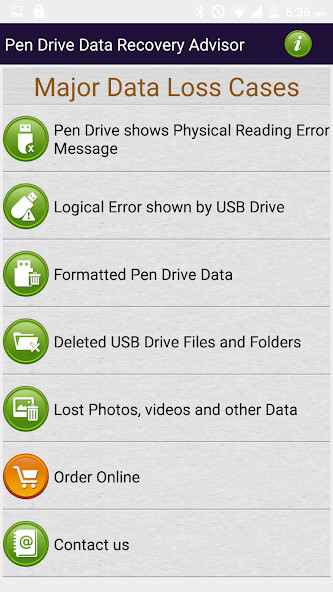
Run this app named USB Drive Data Recovery Help using MyAndroid.
You can do it using our Android online emulator.
Pen Drive Data Recovery Advisor for common USB Flash Drive Data Loss cases such as:
* USB Disk Drive detected in your Computer
* Accidently deleted data pictures files folders videos from USB Drive
* Formatted Pen Drive Data
* Erased Pen Drive Photos
* Videos Recovery from Pen Drives
* Corrupted Pen Drive External USB Hard Disk and Flash Drive Storage data recovery
* Pen Drive shows Physical Reading Error Message
* Logical Error shown by USB Drive
* Deleted USB Drive Files and Folders
* Lost Photos Videos and other Data
Recovery Steps and Solutions for flowing common USB Drive error:
* Disk not formatted
* You need to format the Disk in Drive E: before you can use it
Do you want to format it?
* Windows was unable to complete the format.
* Shows No Disk No Media or Unknown Capacity in Disk Management
* Data Error ( Cyclic Redundancy Check )
* Partition is displayed as unallocated in Disk Management
* Partition file system is as RAW
* Unknown Partition
* Unknown Capacity when you try to format the Flash Drive
This File recovery Procedure is applicable on all type of Pen Drives of all capacity including:
* USB 2.0 as well as USB 3.0
* USB Flash Drives
* External USB Hard Disks
* Removable Mass storage Drives
DDR Pen Drive Recovery Software is available for Windows as well as Mac operating Systems.
* USB Disk Drive detected in your Computer
* Accidently deleted data pictures files folders videos from USB Drive
* Formatted Pen Drive Data
* Erased Pen Drive Photos
* Videos Recovery from Pen Drives
* Corrupted Pen Drive External USB Hard Disk and Flash Drive Storage data recovery
* Pen Drive shows Physical Reading Error Message
* Logical Error shown by USB Drive
* Deleted USB Drive Files and Folders
* Lost Photos Videos and other Data
Recovery Steps and Solutions for flowing common USB Drive error:
* Disk not formatted
* You need to format the Disk in Drive E: before you can use it
Do you want to format it?
* Windows was unable to complete the format.
* Shows No Disk No Media or Unknown Capacity in Disk Management
* Data Error ( Cyclic Redundancy Check )
* Partition is displayed as unallocated in Disk Management
* Partition file system is as RAW
* Unknown Partition
* Unknown Capacity when you try to format the Flash Drive
This File recovery Procedure is applicable on all type of Pen Drives of all capacity including:
* USB 2.0 as well as USB 3.0
* USB Flash Drives
* External USB Hard Disks
* Removable Mass storage Drives
DDR Pen Drive Recovery Software is available for Windows as well as Mac operating Systems.
MyAndroid is not a downloader online for USB Drive Data Recovery Help. It only allows to test online USB Drive Data Recovery Help with apkid pan.drive.data.recovery.advisor. MyAndroid provides the official Google Play Store to run USB Drive Data Recovery Help online.
