
We provide Dopsender : Share Files Through Wifi-Direct online (apkid: p2pdops.dopsender) in order to run this application in our online Android emulator.
Description:
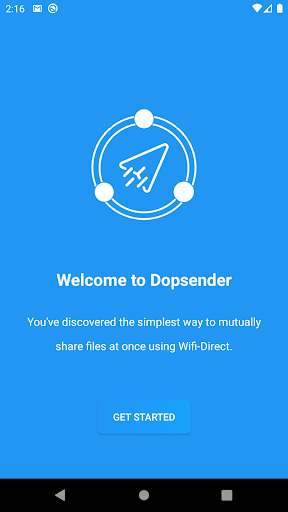
Run this app named Dopsender : Share Files Through Wifi-Direct using MyAndroid.
You can do it using our Android online emulator.
Dopsender is local file transfer app which is the simplest way to mutually share files at once using Wifi-Direct (Offline).
You can share.
Documents
Installed Apps / apks
Images
Videos
Audios
Compressed Files (ZIP, RAR, etc.)
Limitless number of files and huge size files can be sent.
Dopsender tranfers data in background so no worriers about interruptions.
How to Use?
1.
Install Dopsender.
2.
Click `Get Started`
3.
Choose your dp and enter your name.
4.
Give required permissions.
Boom! You are ready to use now.
5.
Click on `Connect` on both sending and receiving devices
6.
After your friend's data is displayed click on it.
7.
If required permissions were given , it'll connect successfully
8.
At bottom you find menu of file types.
Select the type you want.
9.
Now Select the files to Send and at right bottom you'll find round forward button click on it to share.
Boom! You are shared files using Dopsender
To Disconnect click on close button top left corner.
To view received files, in Home click on `Received file`
If you enjoyed this app, do invite your friends to use Dopsender.
More exciting features yet to come.
stay tuned!
You can share.
Documents
Installed Apps / apks
Images
Videos
Audios
Compressed Files (ZIP, RAR, etc.)
Limitless number of files and huge size files can be sent.
Dopsender tranfers data in background so no worriers about interruptions.
How to Use?
1.
Install Dopsender.
2.
Click `Get Started`
3.
Choose your dp and enter your name.
4.
Give required permissions.
Boom! You are ready to use now.
5.
Click on `Connect` on both sending and receiving devices
6.
After your friend's data is displayed click on it.
7.
If required permissions were given , it'll connect successfully
8.
At bottom you find menu of file types.
Select the type you want.
9.
Now Select the files to Send and at right bottom you'll find round forward button click on it to share.
Boom! You are shared files using Dopsender
To Disconnect click on close button top left corner.
To view received files, in Home click on `Received file`
If you enjoyed this app, do invite your friends to use Dopsender.
More exciting features yet to come.
stay tuned!
MyAndroid is not a downloader online for Dopsender : Share Files Through Wifi-Direct. It only allows to test online Dopsender : Share Files Through Wifi-Direct with apkid p2pdops.dopsender. MyAndroid provides the official Google Play Store to run Dopsender : Share Files Through Wifi-Direct online.
