
We provide DroidMote Server (root) online (apkid: org.videomap.droidmoteserver) in order to run this application in our online Android emulator.
Description:
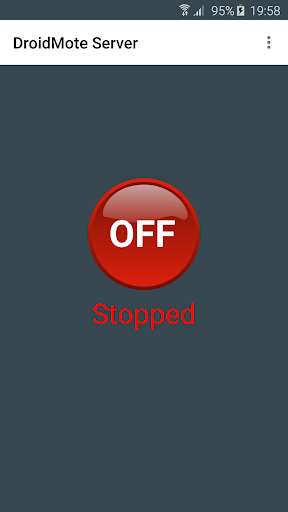
Run this app named DroidMote Server (root) using MyAndroid.
You can do it using our Android online emulator.
THIS APPLICATION REQUIRES ROOT.
BEFORE BUY, READ THE LINK BELOW TO CHECK IF YOU HAVE THE REQUIREMENTS
https: //goo.gl/2YxnL
DroidMote Client
https: //play.google.com/store/apps/details?id=org.videomap.droidmoteclient
DroidMote Server for Linux, Windows and ChromeOS
https: //www.videomap.it/download.htm
Control your Android device from the comfort of your couch.
This is the server part and can be installed on the device that you want control.
Moreover, with DroidMote, you can use multi touch applications and games, even on devices that do not have the touch screen (e.g.
when connected to a TV !).
The client is a free android application: "DroidMote Client".
HOW TO USE DROIDMOTE - VIDEOS
https: //goo.gl/as2eKY
MULTI TOUCH GAMES ON TV WITH AN HARDWARE CONTROLLER OR WITH YOUR PHONE AS CONTROLLER ARE NOT A PROBLEM !
IN THIS YOUTUBE PLAYLIST, FOR EACH MULTI TOUCH GAME CONTROLLED WITH DROIDMOTE, YOU CAN FIND A TOUCH PROFILE IN THE VIDEO DESCRIPTION.
https: //goo.gl/3QuHDK
FOR SUPPORT AND INSTRUCTIONS
Telegram: https: //t.me/droidmote_support
Forum: https: //www.videomap.it/forum
DroidMote emulates hardware input devices in the Android, Windows and Linux OSes.
Mouse, keyboard, multi touch trackpad, touch screen and a gamepad with 16 buttons and 6 axis.
You can use the soft gamepad, an hardware gamepad or mouse and keyboard to play with all games installed on the server device, also those without the built-in gamepad support in virtue of the Gamepad2Touch functionality and the help of the touch profiles.
Games that support hardware gamepads recognize DroidMote as an hardware gamepad.
If you don't have a router, no problem.
You can establish a connection point to point between the two devices with the function Tethering / portable hotspot of your device.
(you do not need bluetooth, the bluetooth is slow and cover small distances)
ATTENTION: The uinput module is required.
A lot of Android devices already have this module by default, but everyone can have it.
Read the requirements page, before buying or putting a negative vote, or contact the developer to solve your problems, through the forum or with an e-mail.
Feature:
Mouse
Multi touch trackpad
Two fingers scroll rotate zoom
Keyboard
Media controls
Dpad
Controller for games
Air mouse
Supports multiple phones simultaneously
Two virtual analog stick
Touch emulation allows you to map buttons and analog sticks to the screen.
Play all your favourite games with full analog support, even those without built-in controller support!
Touch Mouse for games that not support an hardware mouse
Voice dictation
Copy and paste from one device to the other
Multi touch games with an Hardware Gamepad or with the Mouse and Keyboard of your PC, if you run the Client and Server on the same Android device
Android TV compatible
YOU DON'T HAVE A ROOTED ANDROID DEVICE TO PLAY GAMES ? TRY THIS:
https: //youtu.be/HuLy2ERDfmY
FOR ANY PROBLEMS, CONTACT ME BY EMAIL.
I'M AT YOUR DISPOSAL 24 / 7
BEFORE BUY, READ THE LINK BELOW TO CHECK IF YOU HAVE THE REQUIREMENTS
https: //goo.gl/2YxnL
DroidMote Client
https: //play.google.com/store/apps/details?id=org.videomap.droidmoteclient
DroidMote Server for Linux, Windows and ChromeOS
https: //www.videomap.it/download.htm
Control your Android device from the comfort of your couch.
This is the server part and can be installed on the device that you want control.
Moreover, with DroidMote, you can use multi touch applications and games, even on devices that do not have the touch screen (e.g.
when connected to a TV !).
The client is a free android application: "DroidMote Client".
HOW TO USE DROIDMOTE - VIDEOS
https: //goo.gl/as2eKY
MULTI TOUCH GAMES ON TV WITH AN HARDWARE CONTROLLER OR WITH YOUR PHONE AS CONTROLLER ARE NOT A PROBLEM !
IN THIS YOUTUBE PLAYLIST, FOR EACH MULTI TOUCH GAME CONTROLLED WITH DROIDMOTE, YOU CAN FIND A TOUCH PROFILE IN THE VIDEO DESCRIPTION.
https: //goo.gl/3QuHDK
FOR SUPPORT AND INSTRUCTIONS
Telegram: https: //t.me/droidmote_support
Forum: https: //www.videomap.it/forum
DroidMote emulates hardware input devices in the Android, Windows and Linux OSes.
Mouse, keyboard, multi touch trackpad, touch screen and a gamepad with 16 buttons and 6 axis.
You can use the soft gamepad, an hardware gamepad or mouse and keyboard to play with all games installed on the server device, also those without the built-in gamepad support in virtue of the Gamepad2Touch functionality and the help of the touch profiles.
Games that support hardware gamepads recognize DroidMote as an hardware gamepad.
If you don't have a router, no problem.
You can establish a connection point to point between the two devices with the function Tethering / portable hotspot of your device.
(you do not need bluetooth, the bluetooth is slow and cover small distances)
ATTENTION: The uinput module is required.
A lot of Android devices already have this module by default, but everyone can have it.
Read the requirements page, before buying or putting a negative vote, or contact the developer to solve your problems, through the forum or with an e-mail.
Feature:
Mouse
Multi touch trackpad
Two fingers scroll rotate zoom
Keyboard
Media controls
Dpad
Controller for games
Air mouse
Supports multiple phones simultaneously
Two virtual analog stick
Touch emulation allows you to map buttons and analog sticks to the screen.
Play all your favourite games with full analog support, even those without built-in controller support!
Touch Mouse for games that not support an hardware mouse
Voice dictation
Copy and paste from one device to the other
Multi touch games with an Hardware Gamepad or with the Mouse and Keyboard of your PC, if you run the Client and Server on the same Android device
Android TV compatible
YOU DON'T HAVE A ROOTED ANDROID DEVICE TO PLAY GAMES ? TRY THIS:
https: //youtu.be/HuLy2ERDfmY
FOR ANY PROBLEMS, CONTACT ME BY EMAIL.
I'M AT YOUR DISPOSAL 24 / 7
MyAndroid is not a downloader online for DroidMote Server (root). It only allows to test online DroidMote Server (root) with apkid org.videomap.droidmoteserver. MyAndroid provides the official Google Play Store to run DroidMote Server (root) online.
