
We provide CrewView online (apkid: org.sailmon.crewview2) in order to run this application in our online Android emulator.
Description:
Run this app named CrewView using MyAndroid.
You can do it using our Android online emulator.
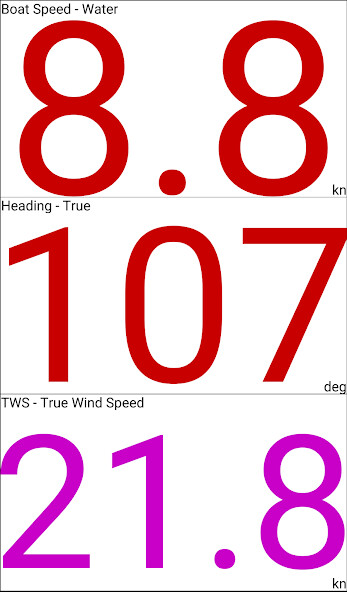
Our SAILMON CrewView app transforms your android device into a customizable display, so each crew member can choose any value available on the SAILMON system without interfering with the Sailmon Instruments.
Display up to 4 values simultaneously individually configured on unlimited devices.
CrewView lets you:
Display 1 to 4 numbers in Day or Night mode mimicking the SAILMON screens
Arrange the numbers automatically depending on orientation of the device
Easily customize the screen.
Usage
-In order to change value hold your finger on the value you would like to change after 3 sec a menu will appear.
-Select the value you want to see and jump back to the display
-Use 2 or 3 fingers to swipe and change the amount of numbers and day or night background
Display up to 4 values simultaneously individually configured on unlimited devices.
CrewView lets you:
Display 1 to 4 numbers in Day or Night mode mimicking the SAILMON screens
Arrange the numbers automatically depending on orientation of the device
Easily customize the screen.
Usage
-In order to change value hold your finger on the value you would like to change after 3 sec a menu will appear.
-Select the value you want to see and jump back to the display
-Use 2 or 3 fingers to swipe and change the amount of numbers and day or night background
MyAndroid is not a downloader online for CrewView. It only allows to test online CrewView with apkid org.sailmon.crewview2. MyAndroid provides the official Google Play Store to run CrewView online.
