
We provide Nisqually Keyboard online (apkid: org.nisqually.keyboard) in order to run this application in our online Android emulator.
Description:
Run this app named Nisqually Keyboard using MyAndroid.
You can do it using our Android online emulator.
Nisqually Keyboard installs the keyboard layout setting for the Nisqually language.
Nisqually Keyboard is the Android app that let's you type correct Nisqually into any text area on your Android device by simply switching into the Nisqually Keyboard Layout.
1.
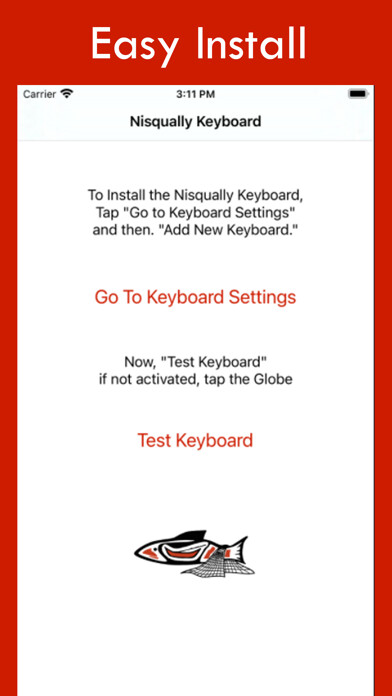
Open the Nisqually App
2.
Select "Go to Keyboard Settings"
3.
Turn "Nisqually Keyboard" on
5.
Go back to the App and "Test Keyboard"
6.
Tap or Press and Hold the Globe, Spacebar, or keyboard icon to switch to the "Nisqually Keyboard"
7.
Tap the shift key or press and hold other keys to see additional characters
Congratulations! Now you can type Nisqually.
Once installed and selected as a keyboard option, you can switch between Nisqually and English as you type emails, SMS, MMS, web content, and in any other text-input field.
Simply press the GLOBE icon to switch.
This is the ultimate integrated Nisqually app keyboard solution to help you type Nisqually on Facebook, Twitter or wherever, accurately and with integrity.
Once installed and selected as a keyboard option, you can switch between Nisqually and English as you type emails, SMS, MMS, web content, and any other text-input field.
Nisqually Keyboard is the Android app that let's you type correct Nisqually into any text area on your Android device by simply switching into the Nisqually Keyboard Layout.
1.
Open the Nisqually App
2.
Select "Go to Keyboard Settings"
3.
Turn "Nisqually Keyboard" on
5.
Go back to the App and "Test Keyboard"
6.
Tap or Press and Hold the Globe, Spacebar, or keyboard icon to switch to the "Nisqually Keyboard"
7.
Tap the shift key or press and hold other keys to see additional characters
Congratulations! Now you can type Nisqually.
Once installed and selected as a keyboard option, you can switch between Nisqually and English as you type emails, SMS, MMS, web content, and in any other text-input field.
Simply press the GLOBE icon to switch.
This is the ultimate integrated Nisqually app keyboard solution to help you type Nisqually on Facebook, Twitter or wherever, accurately and with integrity.
Once installed and selected as a keyboard option, you can switch between Nisqually and English as you type emails, SMS, MMS, web content, and any other text-input field.
MyAndroid is not a downloader online for Nisqually Keyboard. It only allows to test online Nisqually Keyboard with apkid org.nisqually.keyboard. MyAndroid provides the official Google Play Store to run Nisqually Keyboard online.
