
We provide QR512 online (apkid: om.qr512amer.com.qr512) in order to run this application in our online Android emulator.
Description:
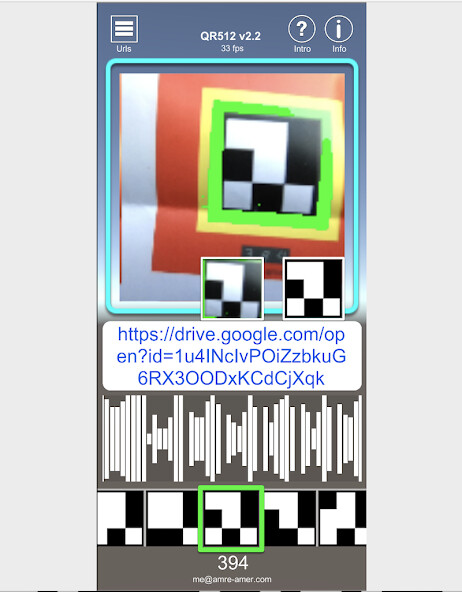
Run this app named QR512 using MyAndroid.
You can do it using our Android online emulator.
A simple QR code reader that links to PDFs, videos, webpages, etc.
Industrial:
QR512 eliminates documentation hanging from items.
> Replaces paperwork with QR code.
> Updating documentation is immediate
Consumer products:
Documentation, marketing, notes can be added to any item with a QR512 code.
> Add a QR code to a product to share details or demo videos.
Printing QR512 codes:
QR codes are included for printing.
Managing Urls:
Edit urls for each QR code in-app, or
Import a CSV from Google Drive or other web server.
Manage Urls online by uploading CSV changes.
Step by Step Instructions PDF:
1> Assign url to QR code in-app or in online/clouded CSV.
2> Print out the assigned QR code (QR codes are on the website)
3> Scan QR code with QR512 app, tap to visit url.
Industrial:
QR512 eliminates documentation hanging from items.
> Replaces paperwork with QR code.
> Updating documentation is immediate
Consumer products:
Documentation, marketing, notes can be added to any item with a QR512 code.
> Add a QR code to a product to share details or demo videos.
Printing QR512 codes:
QR codes are included for printing.
Managing Urls:
Edit urls for each QR code in-app, or
Import a CSV from Google Drive or other web server.
Manage Urls online by uploading CSV changes.
Step by Step Instructions PDF:
1> Assign url to QR code in-app or in online/clouded CSV.
2> Print out the assigned QR code (QR codes are on the website)
3> Scan QR code with QR512 app, tap to visit url.
MyAndroid is not a downloader online for QR512. It only allows to test online QR512 with apkid om.qr512amer.com.qr512. MyAndroid provides the official Google Play Store to run QR512 online.
