
We provide Image to text scanner - OCR - TTS - Translator online (apkid: ocr.appace.com.ocr) in order to run this application in our online Android emulator.
Description:
Run this app named Image to text scanner - OCR - TTS - Translator using MyAndroid.
You can do it using our Android online emulator.
Tapping vigorously on text in an image only to know that it does not allow selection? We know the frustration.
Now manipulate any type of text with OCR scanner.
You can easily benefit from the features that were never available before:
\tImage to text conversion/ Read text from an image.
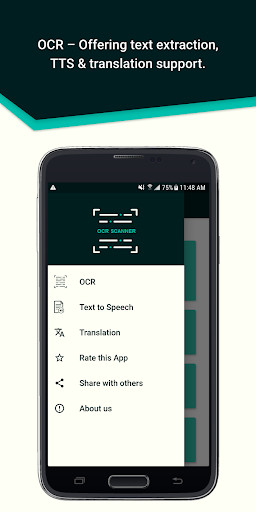
\tTTS Text to Speech.
\tTranslator conversion from 1 language to another.
OCR Scanner is an image to text converter, with which you can extract, translate, save and share any text.
Whether it is a picture or some handwritten characters, OCR Scanner is the best extractor and converter.
You can even translate the scanned text into multiple languages.
You can turn the scanned text into speech and read text from images with TTS (Text to Speech) conversion.
Just sit back and listen to the information you need.
App features are described below:
-\tExtracts text from images (.bmp, .jpeg, .png, etc.)
-\tThe application is free from any premium and subscription scams.
-\tIt preserves hyperlinks in the scanned text, so you can get directed to them easily.
-\tIt provides an option to save each document.
-\tYou can share the document easily across different platforms.
-\tConvert to quality text file, save it and review it.
-\tTranslations, Image to text conversions and Text to speech are possible between the following languages:
\tArabic
\tChinese
\tCzech
\tDanish
\tEnglish
\tFinnish
\tFrench
\tGerman
\tGreek
\tHindi
\tHungarian
\tIndonesian
\tItalian
\tJapanese
\tKorean
\tDutch
\tNorwegian
\tPolish
\tPortuguese
\tRomanian
\tRussian
\tSpanish
\tSlovak
\tSwedish
\tThai
\tTurkish
\tUrdu
How should I use it?
OCR Scanner is the Top image to text recognition app for daily use.
Typing can be time-consuming, but now you can scan your notes with OCR text reader.
It is a professional text scanner to convert your brainstorming boards to manipulative text, so that you can add to the original ideas and preserve creativity.
You dont have to type, just take a picture and convert it from picture to text and you have an editable file.
App Permissions:
OCR Scanner will require the following permissions:
\tStorage: This app needs permission to store documents on your phone.
\tCamera: OCR Scanner needs permission to use the camera to scan images.
* Handwritten text will also be translated and read by the OCR app.
Now manipulate any type of text with OCR scanner.
You can easily benefit from the features that were never available before:
\tImage to text conversion/ Read text from an image.
\tTTS Text to Speech.
\tTranslator conversion from 1 language to another.
OCR Scanner is an image to text converter, with which you can extract, translate, save and share any text.
Whether it is a picture or some handwritten characters, OCR Scanner is the best extractor and converter.
You can even translate the scanned text into multiple languages.
You can turn the scanned text into speech and read text from images with TTS (Text to Speech) conversion.
Just sit back and listen to the information you need.
App features are described below:
-\tExtracts text from images (.bmp, .jpeg, .png, etc.)
-\tThe application is free from any premium and subscription scams.
-\tIt preserves hyperlinks in the scanned text, so you can get directed to them easily.
-\tIt provides an option to save each document.
-\tYou can share the document easily across different platforms.
-\tConvert to quality text file, save it and review it.
-\tTranslations, Image to text conversions and Text to speech are possible between the following languages:
\tArabic
\tChinese
\tCzech
\tDanish
\tEnglish
\tFinnish
\tFrench
\tGerman
\tGreek
\tHindi
\tHungarian
\tIndonesian
\tItalian
\tJapanese
\tKorean
\tDutch
\tNorwegian
\tPolish
\tPortuguese
\tRomanian
\tRussian
\tSpanish
\tSlovak
\tSwedish
\tThai
\tTurkish
\tUrdu
How should I use it?
OCR Scanner is the Top image to text recognition app for daily use.
Typing can be time-consuming, but now you can scan your notes with OCR text reader.
It is a professional text scanner to convert your brainstorming boards to manipulative text, so that you can add to the original ideas and preserve creativity.
You dont have to type, just take a picture and convert it from picture to text and you have an editable file.
App Permissions:
OCR Scanner will require the following permissions:
\tStorage: This app needs permission to store documents on your phone.
\tCamera: OCR Scanner needs permission to use the camera to scan images.
* Handwritten text will also be translated and read by the OCR app.
MyAndroid is not a downloader online for Image to text scanner - OCR - TTS - Translator. It only allows to test online Image to text scanner - OCR - TTS - Translator with apkid ocr.appace.com.ocr. MyAndroid provides the official Google Play Store to run Image to text scanner - OCR - TTS - Translator online.
