
We provide Coach 7 Lite online (apkid: nl.cmascience.lite) in order to run this application in our online Android emulator.
Description:
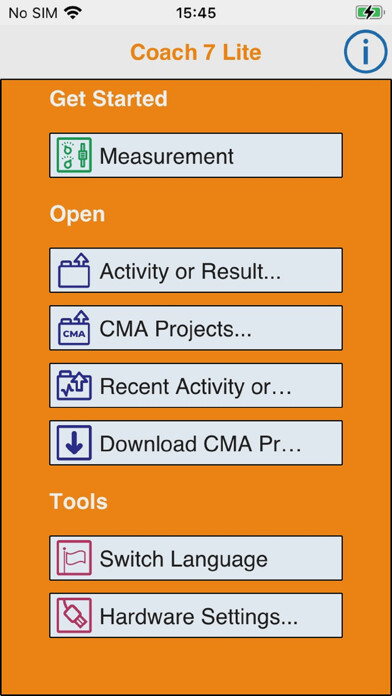
Run this app named Coach 7 Lite using MyAndroid.
You can do it using our Android online emulator.
Coach 7 Lite App is a limited version of Coach 7 App, which supports measurements via CMA interfaces:
- VinciLab data-logger (wireless via Wi-Fi)
- Sense, Lab, CLAB and CoachLab II+ via a USB port.
For connecting an interface a Micro USB OTG hub or cable is required.
Additionally this app allows working with an internal accelerometer.
Key Features General
- Multilingual user interface
- Tutorial Activities to learn how to work with Coach Lite
- Sharing Activities with other Apps e.g.
Mail
Key Features Measurement
- Measure and record data via the CMA VinciLab data-logger (wireless via Wi-Fi)
- Measure and record data via the USB CMA interfaces such as Sense, Lab, CLAB and CoachLab II+.
For connecting an interface a Micro USB OTG hub or cable is required (only for tablets equipped with a USB port)
- Measure and record data via an internal accelerometer
- Time-base, Event-base and Manual measurements incl.
triggering.
- Sensor recognition.
- Sensor calibration.
Key Features Data Analysis
- View collected or generated data in a table
- Visualize data in real-time in customizable graphs, meters and values
- Draw own graphs - make predictions
- Analyze the data with analysis tools such as Zoom, Scan, Slope, Area, Function Fit, Derivative and Select/Remove data.
CMA has been innovating science classrooms since 1987 with products for ICT-based learning, adopting the popular inquiry-based learning approach.
The Coach software is one of main components in the CMA line-up of interfaces, sensors, software and teaching materials.
- VinciLab data-logger (wireless via Wi-Fi)
- Sense, Lab, CLAB and CoachLab II+ via a USB port.
For connecting an interface a Micro USB OTG hub or cable is required.
Additionally this app allows working with an internal accelerometer.
Key Features General
- Multilingual user interface
- Tutorial Activities to learn how to work with Coach Lite
- Sharing Activities with other Apps e.g.
Key Features Measurement
- Measure and record data via the CMA VinciLab data-logger (wireless via Wi-Fi)
- Measure and record data via the USB CMA interfaces such as Sense, Lab, CLAB and CoachLab II+.
For connecting an interface a Micro USB OTG hub or cable is required (only for tablets equipped with a USB port)
- Measure and record data via an internal accelerometer
- Time-base, Event-base and Manual measurements incl.
triggering.
- Sensor recognition.
- Sensor calibration.
Key Features Data Analysis
- View collected or generated data in a table
- Visualize data in real-time in customizable graphs, meters and values
- Draw own graphs - make predictions
- Analyze the data with analysis tools such as Zoom, Scan, Slope, Area, Function Fit, Derivative and Select/Remove data.
CMA has been innovating science classrooms since 1987 with products for ICT-based learning, adopting the popular inquiry-based learning approach.
The Coach software is one of main components in the CMA line-up of interfaces, sensors, software and teaching materials.
MyAndroid is not a downloader online for Coach 7 Lite. It only allows to test online Coach 7 Lite with apkid nl.cmascience.lite. MyAndroid provides the official Google Play Store to run Coach 7 Lite online.
