
We provide Barcode2Win online (apkid: net.paludour.android.barcode2win) in order to run this application in our online Android emulator.
Description:
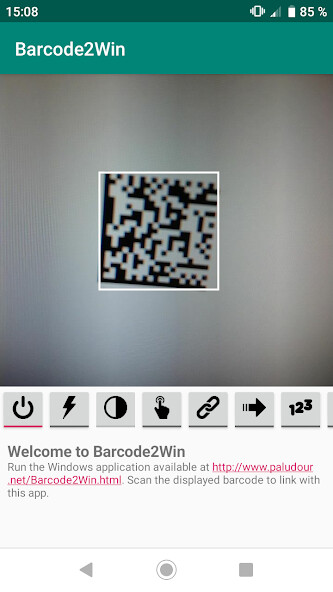
Run this app named Barcode2Win using MyAndroid.
You can do it using our Android online emulator.
Send barcodes to any Windows application installed on your computer via WiFi.
Barcodes can be:
* Sent as keyboard entries to another application.
* Saved into a file in real time.
* Copied to the clipboard.
As an option, a quantity can be asked after each scan and transmitted to the computer.
Compatible with EAN-13, EAN-8, UPC-A, UPC-E, Code-39, Code-93, Code-128, ITF, Codabar, QR Code, Data Matrix, PDF-417, AZTEC barcodes.
Link easily your phone to the computer simply by scanning a barcode on the computer screen.
If no WiFi is available, barcodes can also be transferred with a USB cable.
The Windows client is available at http: //www.paludour.net/Barcode2Win.html and needs to be installed on the Windows computer.
Barcodes can be:
* Sent as keyboard entries to another application.
* Saved into a file in real time.
* Copied to the clipboard.
As an option, a quantity can be asked after each scan and transmitted to the computer.
Compatible with EAN-13, EAN-8, UPC-A, UPC-E, Code-39, Code-93, Code-128, ITF, Codabar, QR Code, Data Matrix, PDF-417, AZTEC barcodes.
Link easily your phone to the computer simply by scanning a barcode on the computer screen.
If no WiFi is available, barcodes can also be transferred with a USB cable.
The Windows client is available at http: //www.paludour.net/Barcode2Win.html and needs to be installed on the Windows computer.
MyAndroid is not a downloader online for Barcode2Win. It only allows to test online Barcode2Win with apkid net.paludour.android.barcode2win. MyAndroid provides the official Google Play Store to run Barcode2Win online.
