

We provide Nickname Music for DLNA / Chromecast online (apkid: net.candychip.musicnicknaming) in order to run this application in our online Android emulator.
Description:
Run this app named Nickname Music for DLNA / Chromecast using MyAndroid.
You can do it using our Android online emulator.
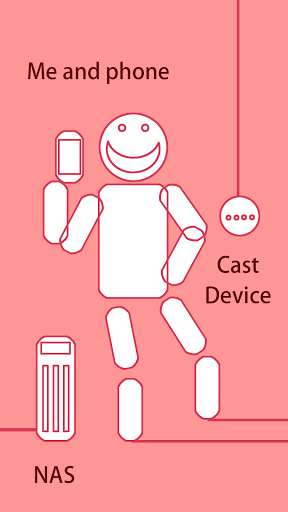
I have some music files on my DLNA server(NAS).
I also have cast device.
So I am happy if the musics play in response to the name.
* HOW TO USE
1.
Select cast device on your LAN from list.
2.
Select server on your LAN from list.
3.
Give music a nickname.
4.
Call its name.
* FEATURES
- Specify start time and end time of the music.
# Regarding the end time, we have confirmed that the specification becomes invalid
- Voice Command to playback list operation.
- play next / previous song in the play list.
- shuffle mode
- repeat mode
- stop, pause, resume
- Free to name voice commands.
*BACKGROUND TO DEVELOPMENT
I don't always want to listen to songs by album.
-> I made it possible to create a playlist.
I want to easily play a playlist!
-> I named the playlist so that it will play when I call it.
If you make a playlist with the idea of the spot,
it will be fun to play the right song at the right time.
I also have cast device.
So I am happy if the musics play in response to the name.
* HOW TO USE
1.
Select cast device on your LAN from list.
2.
Select server on your LAN from list.
3.
Give music a nickname.
4.
Call its name.
* FEATURES
- Specify start time and end time of the music.
# Regarding the end time, we have confirmed that the specification becomes invalid
- Voice Command to playback list operation.
- play next / previous song in the play list.
- shuffle mode
- repeat mode
- stop, pause, resume
- Free to name voice commands.
*BACKGROUND TO DEVELOPMENT
I don't always want to listen to songs by album.
-> I made it possible to create a playlist.
I want to easily play a playlist!
-> I named the playlist so that it will play when I call it.
If you make a playlist with the idea of the spot,
it will be fun to play the right song at the right time.
MyAndroid is not a downloader online for Nickname Music for DLNA / Chromecast. It only allows to test online Nickname Music for DLNA / Chromecast with apkid net.candychip.musicnicknaming. MyAndroid provides the official Google Play Store to run Nickname Music for DLNA / Chromecast online.
