
We provide Native - NFT Social Media online (apkid: native.net.in) in order to run this application in our online Android emulator.
Description:
Run this app named Native - NFT Social Media using MyAndroid.
You can do it using our Android online emulator.
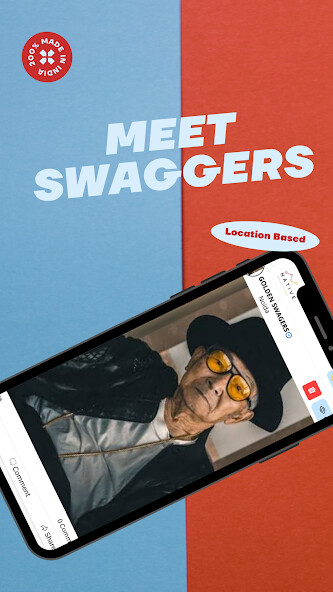
A LOCATION BASED SOCIAL MEDIA
Native has many features and benefits a person can use it for
1.
It allows users to post locally or nationally
2.
It provides a user-friendly interface to anyone who wants to use it
3.
It allows users to get in touch with their native friends at one place rather than meeting unknown online friends.
4.
It is the first of its kind and is not like any other social media out there.
Users can post and share the content they want and not be bound by the rules of other social media.
5.
Users can also find new friends and business partners using this application.
6.
Users can create their own groups and post the content they want in there.
7.
Users can even monetize their account by selling posts to get more followers or they can sell posts to get money from advertisers.
8.
The interface is very user friendly and anyone can easily use it .
9.
Native also allows users to choose who to follow or who to be followed by based on their location.
This means that if you are in a country with a lot of people from your neighborhood you will be able to interact with them and follow them based on your location.
10.
If you are traveling you will be able to follow people in your destination country and get to know them and even make friends with them.
HOW TO CREATE A NATIVE ACCOUNT?
1.
Create a native account
2.
Open Native application > Tap on Create a account or Google Login > Fill Fill the form > Mobile number > OTP > Account created successfully.
3.
Go to Menu > Profile > Edit Profile
4.
Fill the details like Name, Date of Birth, Gender, Nationality, Occupation and more
HOW TO POST IN NATIVE?
1.
Open Native > Tap + icon > Choose your # ( Default is Native story )
means all posts are limited to there constitution > Enter title of your Post >
Type what happened around you > In attachment choose image/ Video /
Audio > Tap Create Post.
2.
Go to the category used and check the post.
HOW TO POST IN NATIVE?
1.
If you want to delete the post you have shared.
2.Open Native app> Go to Post> On the top of the post you will see Delete option.
3.
Tap on the Delete button once.
After loading once again tap on the delete option and the post has deleted successfully.
HOW TO POST NATIONAL/ INTERNATIONAL IN NATIVE?
1.
To post in National/ International category topics follow us
2.Open Native > Tap + icon > Tap Change option to your desired # > Enter
title of your Post > Type what happened around you > In attachment
choose image/ Video / Audio > Tap Create Post > Successfully created
National / international post.
3.
You have successfully posted in National/ International category.
Native has many features and benefits a person can use it for
1.
It allows users to post locally or nationally
2.
It provides a user-friendly interface to anyone who wants to use it
3.
It allows users to get in touch with their native friends at one place rather than meeting unknown online friends.
4.
It is the first of its kind and is not like any other social media out there.
Users can post and share the content they want and not be bound by the rules of other social media.
5.
Users can also find new friends and business partners using this application.
6.
Users can create their own groups and post the content they want in there.
7.
Users can even monetize their account by selling posts to get more followers or they can sell posts to get money from advertisers.
8.
The interface is very user friendly and anyone can easily use it .
9.
Native also allows users to choose who to follow or who to be followed by based on their location.
This means that if you are in a country with a lot of people from your neighborhood you will be able to interact with them and follow them based on your location.
10.
If you are traveling you will be able to follow people in your destination country and get to know them and even make friends with them.
HOW TO CREATE A NATIVE ACCOUNT?
1.
Create a native account
2.
Open Native application > Tap on Create a account or Google Login > Fill Fill the form > Mobile number > OTP > Account created successfully.
3.
Go to Menu > Profile > Edit Profile
4.
Fill the details like Name, Date of Birth, Gender, Nationality, Occupation and more
HOW TO POST IN NATIVE?
1.
Open Native > Tap + icon > Choose your # ( Default is Native story )
means all posts are limited to there constitution > Enter title of your Post >
Type what happened around you > In attachment choose image/ Video /
Audio > Tap Create Post.
2.
Go to the category used and check the post.
HOW TO POST IN NATIVE?
1.
If you want to delete the post you have shared.
2.Open Native app> Go to Post> On the top of the post you will see Delete option.
3.
Tap on the Delete button once.
After loading once again tap on the delete option and the post has deleted successfully.
HOW TO POST NATIONAL/ INTERNATIONAL IN NATIVE?
1.
To post in National/ International category topics follow us
2.Open Native > Tap + icon > Tap Change option to your desired # > Enter
title of your Post > Type what happened around you > In attachment
choose image/ Video / Audio > Tap Create Post > Successfully created
National / international post.
3.
You have successfully posted in National/ International category.
MyAndroid is not a downloader online for Native - NFT Social Media. It only allows to test online Native - NFT Social Media with apkid native.net.in. MyAndroid provides the official Google Play Store to run Native - NFT Social Media online.
