

We provide shift-work schedule online (apkid: myroster.yamadamanman.mercury.sannet.com.myroster) in order to run this application in our online Android emulator.
Description:
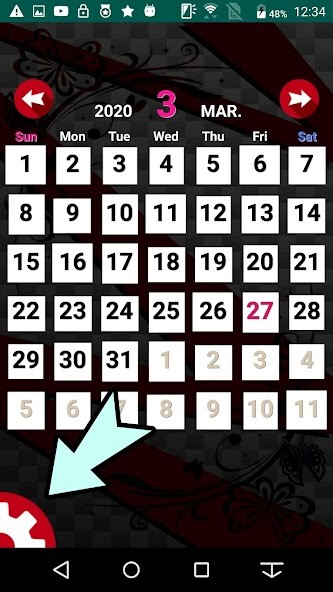
Run this app named shift-work schedule using MyAndroid.
You can do it using our Android online emulator.
Just register a day off from the beginning of work
Reflected on the calendar.
Method of operation
1: Press the setting button at the bottom left of the screen
2: Press the notebook and pencil button in the center of the screen
3: This month's calendar is displayed
: Select a work time image at the bottom of the screen and swipe the date
4: Press the OK button at the bottom right of the screen to complete
5: If you want to add a new schedule, you need to delete it once
6: Press the eraser button from the setting button 1: repeat
Duty shift calendar jobs efficiency plans
Detailed schedule cannot be reflected because of the simplified version
Reflected on the calendar.
Method of operation
1: Press the setting button at the bottom left of the screen
2: Press the notebook and pencil button in the center of the screen
3: This month's calendar is displayed
: Select a work time image at the bottom of the screen and swipe the date
4: Press the OK button at the bottom right of the screen to complete
5: If you want to add a new schedule, you need to delete it once
6: Press the eraser button from the setting button 1: repeat
Duty shift calendar jobs efficiency plans
Detailed schedule cannot be reflected because of the simplified version
MyAndroid is not a downloader online for shift-work schedule. It only allows to test online shift-work schedule with apkid myroster.yamadamanman.mercury.sannet.com.myroster. MyAndroid provides the official Google Play Store to run shift-work schedule online.
