
We provide Card Controller for Albert BLE online (apkid: kr.robotmedia.android.card.controller.uo) in order to run this application in our online Android emulator.
Description:
Run this app named Card Controller for Albert BLE using MyAndroid.
You can do it using our Android online emulator.
APPLICATION FOR ALBERT BLE
To run this application, Albert BLE Launcher should be first installed.
Touch the Stack Card with your Smart Pen to control the Albert robot.
Red, orange, yellow, green, blue, indigo, violet.
You can change eye colors and make a beep/siren sound to give a warning.
Press the button of the pen and touch arrows on the card.
Albert will move fast.
Do not worry if you don't have the Stack Card or the Smart Pen.
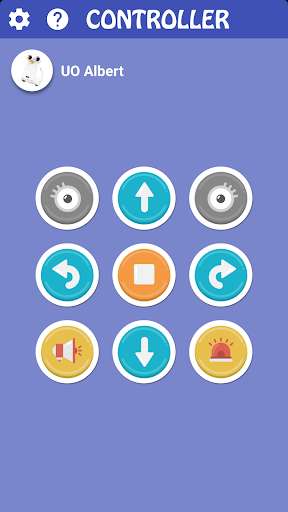
On the screen of your phone/tablet, you can press cute icons to control your robot.
You can decorate your own screen from the given 18 color settings.
To run this application, Albert BLE Launcher should be first installed.
Touch the Stack Card with your Smart Pen to control the Albert robot.
Red, orange, yellow, green, blue, indigo, violet.
You can change eye colors and make a beep/siren sound to give a warning.
Press the button of the pen and touch arrows on the card.
Albert will move fast.
Do not worry if you don't have the Stack Card or the Smart Pen.
On the screen of your phone/tablet, you can press cute icons to control your robot.
You can decorate your own screen from the given 18 color settings.
MyAndroid is not a downloader online for Card Controller for Albert BLE. It only allows to test online Card Controller for Albert BLE with apkid kr.robotmedia.android.card.controller.uo. MyAndroid provides the official Google Play Store to run Card Controller for Albert BLE online.
