

We provide KeyboardSwap for Keepass2Android online (apkid: keepass2android.plugin.keyboardswap2) in order to run this application in our online Android emulator.
Description:
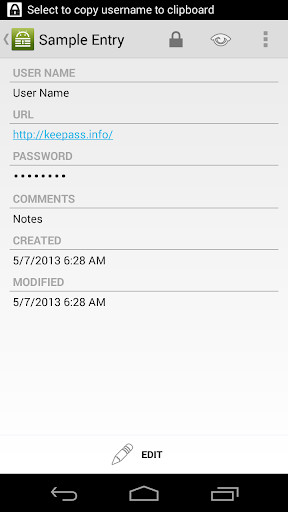
Run this app named KeyboardSwap for Keepass2Android using MyAndroid.
You can do it using our Android online emulator.
This app is compatible with Keepass2Android.
Instructions for setting up this app:
1.) Install ADB on your computer.
ADB is the Android Debug Bridge, you find instructions how to do this on https: //developer.android.com/studio/command-line/adb.html
2.) Open a command prompt and change to the directory where the adb executable is located (e.g.
[Android SDK location]\\\\platform-tools).
3.) Launch an adb shell.
Therefore, type "adb shell"
4.) In the adb shell, enter
pm grant keepass2android.plugin.keyboardswap2 android.permission.WRITE_SECURE_SETTINGS
and hit the Enter key.
5.) Type "exit" to leave the adb shell.
6.) Go to Keepass2Android > Settings > App Settings > Password-Access > Keyboard switching and enable "Auto-switch keyboard"
NOTE for Xiaomi devices: You might have to enable some settings before running the adb shell command, see https: //www.xda-developers.com/keyboardswap-plugin-keepass2android-automatically-switches-keyboards-without-root/#comment-3432883576
Instructions for setting up this app:
1.) Install ADB on your computer.
ADB is the Android Debug Bridge, you find instructions how to do this on https: //developer.android.com/studio/command-line/adb.html
2.) Open a command prompt and change to the directory where the adb executable is located (e.g.
[Android SDK location]\\\\platform-tools).
3.) Launch an adb shell.
Therefore, type "adb shell"
4.) In the adb shell, enter
pm grant keepass2android.plugin.keyboardswap2 android.permission.WRITE_SECURE_SETTINGS
and hit the Enter key.
5.) Type "exit" to leave the adb shell.
6.) Go to Keepass2Android > Settings > App Settings > Password-Access > Keyboard switching and enable "Auto-switch keyboard"
NOTE for Xiaomi devices: You might have to enable some settings before running the adb shell command, see https: //www.xda-developers.com/keyboardswap-plugin-keepass2android-automatically-switches-keyboards-without-root/#comment-3432883576
MyAndroid is not a downloader online for KeyboardSwap for Keepass2Android. It only allows to test online KeyboardSwap for Keepass2Android with apkid keepass2android.plugin.keyboardswap2. MyAndroid provides the official Google Play Store to run KeyboardSwap for Keepass2Android online.
