

We provide End Call online (apkid: jp.gr.java.conf.toytech.endcall) in order to run this application in our online Android emulator.
Description:
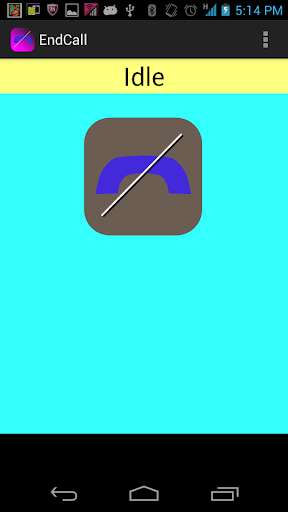
Run this app named End Call using MyAndroid.
You can do it using our Android online emulator.
Caution!!: On android5.0, UI and call control function may fail.Please comment whether working good or NG,if you have android5.0 device.
This application simply terminates phone call.
Execute this application and touch endcall icon,current call will be terminated.
What situation this application will be useful?
While you are calling and you use multi tasking with browser,mail,and other applications, it sometimes happens that you need many touch operation to back to phone application's UI to terminate current call.
In such case, if you place this application's shortcut on HOME screen, you can terminate your call by backing home and executing this application.
[Option]
If you make "Instand End" option enabled, this application automatically terminates call immediately after this application is started without pressing "EndCall" icon on this app's main UI.
If you make "Auto Finish" option enabled,this application is automatically finished after 5 second after terminating call.
From 1.1.0, you can execute this application from notification bar."EndCall" icon automatically appears when phone call begins.
This behavior is enabled/disabled by "Notification" option.
[About Permission]
-full network access
Used for displaying ads.
-directly call phone numbers
Used for terminating phone call.
-read phone status and identity
Used for checking call status.
This application simply terminates phone call.
Execute this application and touch endcall icon,current call will be terminated.
What situation this application will be useful?
While you are calling and you use multi tasking with browser,mail,and other applications, it sometimes happens that you need many touch operation to back to phone application's UI to terminate current call.
In such case, if you place this application's shortcut on HOME screen, you can terminate your call by backing home and executing this application.
[Option]
If you make "Instand End" option enabled, this application automatically terminates call immediately after this application is started without pressing "EndCall" icon on this app's main UI.
If you make "Auto Finish" option enabled,this application is automatically finished after 5 second after terminating call.
From 1.1.0, you can execute this application from notification bar."EndCall" icon automatically appears when phone call begins.
This behavior is enabled/disabled by "Notification" option.
[About Permission]
-full network access
Used for displaying ads.
-directly call phone numbers
Used for terminating phone call.
-read phone status and identity
Used for checking call status.
MyAndroid is not a downloader online for End Call. It only allows to test online End Call with apkid jp.gr.java.conf.toytech.endcall. MyAndroid provides the official Google Play Store to run End Call online.
