

We provide Journey360 online (apkid: jp.co.taosoftware.android.journey360) in order to run this application in our online Android emulator.
Description:
Run this app named Journey360 using MyAndroid.
You can do it using our Android online emulator.
RICOH THETA Developers Contest Honorable Mentions
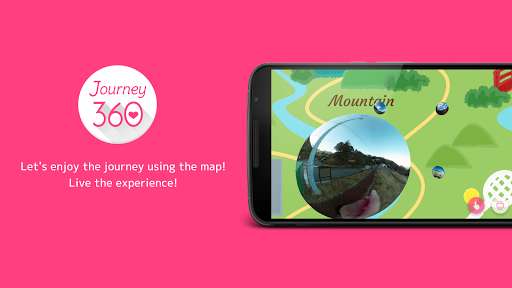
Let's live the experience with the new style of travel map using Journey360 and RICOH THETA that normal camera can't do.
*How to make a Journey map.
1.
Taka a photo or Video while travelling, using RICOH THETA.
2.
Take a photo from travel guide map or use Google map to create the map.
3.
Drag the spherical photos or videos on the exact location, which you took using RICOH THETA.
4.
Live the experience after you completed your own Journey map.
Experience the real Journey in Journey 360.
Let's live the experience with the new style of travel map using Journey360 and RICOH THETA that normal camera can't do.
*How to make a Journey map.
1.
Taka a photo or Video while travelling, using RICOH THETA.
2.
Take a photo from travel guide map or use Google map to create the map.
3.
Drag the spherical photos or videos on the exact location, which you took using RICOH THETA.
4.
Live the experience after you completed your own Journey map.
Experience the real Journey in Journey 360.
MyAndroid is not a downloader online for Journey360. It only allows to test online Journey360 with apkid jp.co.taosoftware.android.journey360. MyAndroid provides the official Google Play Store to run Journey360 online.
