
We provide Ricoh Printer online (apkid: jp.co.ricoh.vop) in order to run this application in our online Android emulator.
Description:
Run this app named Ricoh Printer using MyAndroid.
You can do it using our Android online emulator.
Features of Ricoh Printer
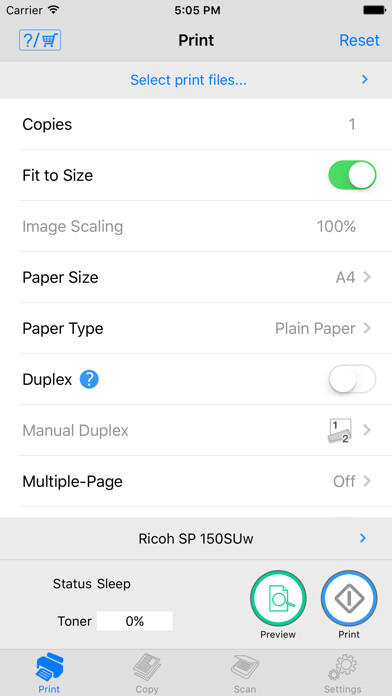
* Ricoh Printer allows users to do Print, Copy, Scan, change settings, and see status of the printer from smart devices.
Copy function
* You can execute Copy by selecting parameters such as resolution and paper size.
Scan function
* You can select parameters such as resolution and save scanned file to your smart phone.
* The files that are scanned with a MFP can be saved in you smart phone in PDF or JPEG file.
Print function
* You can print photos and documents stored in your smart phone
* Documents and photos in your smart phone can be printed from a MFP
* You can select parameters such as paper size and print density and print photos in JPEG, PNG, BMP format and files in TXT, PDF format.
Machine Settings
* You can set Wi-Fi, IP address, and also access point using Soft AP mode
* You can change password and sleep time.
* Ricoh Printer allows users to do Print, Copy, Scan, change settings, and see status of the printer from smart devices.
Copy function
* You can execute Copy by selecting parameters such as resolution and paper size.
Scan function
* You can select parameters such as resolution and save scanned file to your smart phone.
* The files that are scanned with a MFP can be saved in you smart phone in PDF or JPEG file.
Print function
* You can print photos and documents stored in your smart phone
* Documents and photos in your smart phone can be printed from a MFP
* You can select parameters such as paper size and print density and print photos in JPEG, PNG, BMP format and files in TXT, PDF format.
Machine Settings
* You can set Wi-Fi, IP address, and also access point using Soft AP mode
* You can change password and sleep time.
MyAndroid is not a downloader online for Ricoh Printer. It only allows to test online Ricoh Printer with apkid jp.co.ricoh.vop. MyAndroid provides the official Google Play Store to run Ricoh Printer online.
