

We provide RICOH UCS online (apkid: jp.co.ricoh.ucs.ucsclient) in order to run this application in our online Android emulator.
Description:
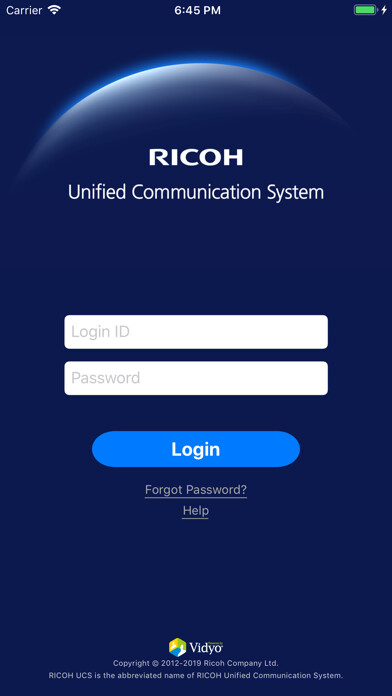
Run this app named RICOH UCS using MyAndroid.
You can do it using our Android online emulator.
Anytime, anywhere, with anyone
RICOH Unified Communication System enables you to have a real-time conversation with several remote locations thanks to a cloud-based platform.
You can join meetings not only with other Android devices but also with iOS and PC applications or dedicated Ricoh Video conference systems.
- Functions
Transmission and reception of Video and audio
Can be connected with RICOH Unified Communication Service products.
Number of participants is unlimited.
Display up to 4 sites on tablet devices and 3 sites on smartphone devices.
View screen share.
- How to use the application
1.
Start the apps
2.
Input your ID and password, then login
3.
Choose the person you want to talk to in the contact list
- supported OS
Android OS version 8.x.x9.x.x10.x.x11.x.x
- Models which have been evaluated to be compatible
<360 degree Video streaming supported devices(SnapDragon 835 or higher)>
SONY: Xperia 1 III (OS: 11.0) , SONY: Xperia XZ3 (OS: 9.0) , SONY: Xperia XZ2 (OS: 9.0) , SONY: Xperia XZ2 Premium (OS: 9.0) , SONY: Xperia XZ1 (OS: 9.0)
Samsung: Galaxy S21 5G (OS: 11.0) , Samsung: Galaxy S21+ 5G (OS: 11.0) , Samsung: Galaxy S21 Ultra 5G (OS: 11.0) , Samsung: Galaxy S10 (OS: 10.0) , Samsung: Galaxy S9+ (OS: 9.0) , Samsung: Galaxy S8+ (OS: 9.0)
SHARP: AQUOS R6 (OS: 11.0) , SHARP: LEITZ PHONE 1 (OS: 11.0) , SHARP: AQUOS zero2 (OS: 11.0, 10.0) , SHARP: AQUOS R (OS: 9.0)
Google: Pixel 4 XL (OS: 10.0) , Google: Pixel 3 XL (OS: 9.0) , Google: Pixel 3 (OS: 9.0)
ASUS: Zenfone7 (OS: 10.0) , ASUS: ZenFone 5Z (OS: 9.0)
<360 degree Video receiving supported devices(SnapDragon 820 or higher , 765G or higher)>
Google: Pixel 4a (OS: 11.0) , Google: Pixel 5 (OS: 11.0)
SHARP: AQUOS sense4 (OS: 10.0)
Samsung: Galaxy S7 Edge (OS: 8.0)
motorola: razr 5G (OS: 11.0)
Including 360 degree Video streaming supported devices
SONY: Xperia 5OS: 10.0
Google: Nexus 5x (OS: 8.1)
Including 360 degree Video streaming and receiving supported devices
Other devices not listed can also download the software and use it, but we cannot guarantee that they will be compatible.
We ask for your kind understanding.
This list was issued on ''September 2021'' and might be revised in the future without prior announcement.
- Recommended environment
We recommend you to use a Wi-Fi connection.
- Warnings
It is necessary to change the password and register your email address the first time you use this software.
If you have forgotten your password, please change it on the Ricoh UCS product support page.
Please use a headphone in case that your environment is noisy in order to improve the sound.
Please refer to the following webpage for information about our products, bug fixes or limitations ( https: //www.ricoh.com/products/ucs/support ).
RICOH Unified Communication System enables you to have a real-time conversation with several remote locations thanks to a cloud-based platform.
You can join meetings not only with other Android devices but also with iOS and PC applications or dedicated Ricoh Video conference systems.
- Functions
Transmission and reception of Video and audio
Can be connected with RICOH Unified Communication Service products.
Number of participants is unlimited.
Display up to 4 sites on tablet devices and 3 sites on smartphone devices.
View screen share.
- How to use the application
1.
Start the apps
2.
Input your ID and password, then login
3.
Choose the person you want to talk to in the contact list
- supported OS
Android OS version 8.x.x9.x.x10.x.x11.x.x
- Models which have been evaluated to be compatible
<360 degree Video streaming supported devices(SnapDragon 835 or higher)>
SONY: Xperia 1 III (OS: 11.0) , SONY: Xperia XZ3 (OS: 9.0) , SONY: Xperia XZ2 (OS: 9.0) , SONY: Xperia XZ2 Premium (OS: 9.0) , SONY: Xperia XZ1 (OS: 9.0)
Samsung: Galaxy S21 5G (OS: 11.0) , Samsung: Galaxy S21+ 5G (OS: 11.0) , Samsung: Galaxy S21 Ultra 5G (OS: 11.0) , Samsung: Galaxy S10 (OS: 10.0) , Samsung: Galaxy S9+ (OS: 9.0) , Samsung: Galaxy S8+ (OS: 9.0)
SHARP: AQUOS R6 (OS: 11.0) , SHARP: LEITZ PHONE 1 (OS: 11.0) , SHARP: AQUOS zero2 (OS: 11.0, 10.0) , SHARP: AQUOS R (OS: 9.0)
Google: Pixel 4 XL (OS: 10.0) , Google: Pixel 3 XL (OS: 9.0) , Google: Pixel 3 (OS: 9.0)
ASUS: Zenfone7 (OS: 10.0) , ASUS: ZenFone 5Z (OS: 9.0)
<360 degree Video receiving supported devices(SnapDragon 820 or higher , 765G or higher)>
Google: Pixel 4a (OS: 11.0) , Google: Pixel 5 (OS: 11.0)
SHARP: AQUOS sense4 (OS: 10.0)
Samsung: Galaxy S7 Edge (OS: 8.0)
motorola: razr 5G (OS: 11.0)
Including 360 degree Video streaming supported devices
SONY: Xperia 5OS: 10.0
Google: Nexus 5x (OS: 8.1)
Including 360 degree Video streaming and receiving supported devices
Other devices not listed can also download the software and use it, but we cannot guarantee that they will be compatible.
We ask for your kind understanding.
This list was issued on ''September 2021'' and might be revised in the future without prior announcement.
- Recommended environment
We recommend you to use a Wi-Fi connection.
- Warnings
It is necessary to change the password and register your email address the first time you use this software.
If you have forgotten your password, please change it on the Ricoh UCS product support page.
Please use a headphone in case that your environment is noisy in order to improve the sound.
Please refer to the following webpage for information about our products, bug fixes or limitations ( https: //www.ricoh.com/products/ucs/support ).
MyAndroid is not a downloader online for RICOH UCS. It only allows to test online RICOH UCS with apkid jp.co.ricoh.ucs.ucsclient. MyAndroid provides the official Google Play Store to run RICOH UCS online.
