
We provide Parallel Space online (apkid: in.android.parallel) in order to run this application in our online Android emulator.
Description:
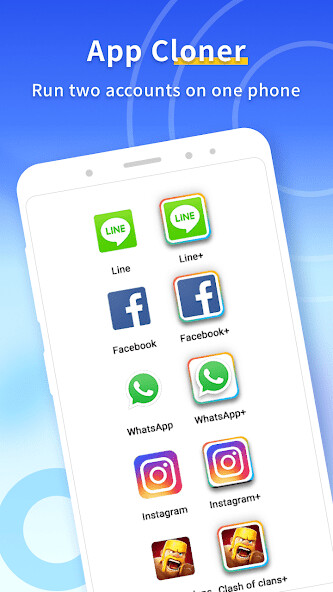
Run this app named Parallel Space using MyAndroid.
You can do it using our Android online emulator.
Parallel Space is an app cloner for you, if you want to run multiple accounts of the same app on one phone.
You can also install apps only in Incognito Installation to hide them from anyone but you.
If that sounds good to you, dont hesitate to give it a try.
Parallel Space is compatible with most Android apps and supports multiple languages!
Key features of Parallel Space
Multiple accounts on one phone
Parallel Space creates a dual space for you to run a second account of your social apps or games.
In this way, you can separate your personal and business accounts apart, but keep them online on the same phone.
And you no longer need to worry about missing messages from both accounts.
For games, you can log into two accounts at once and have double the fun, experience points, and loots.
Easy switch between accounts
With app cloner Parallel Space, theres no need to manually log out and then log in a second account.
Instead, you can switch between accounts with just one tap, much time and trouble saved.
Privacy guard & private lock
If you are looking for more privacy, you can install apps only in Parallel Space Incognito.
This will hide the apps on your phone from nosy people, and safeguard your privacy.
It is also possible to enable a security lock on your cloned space, so no one else can see it but you.
Notes:
Device permissions: Parallel Space needs the same permissions required by the apps you want to clone, in order for the cloned apps to function normally.
For instance, if Parallel Space doesnt have access to your location information, you wont be able to share your location with your friends in a social app cloned in Parallel Space.
Please note that we take your privacy very seriously and will never collect or use your personal information without permission.
Device usage: Parallel Space itself doesn't take up much memory, battery and data.
However, the apps cloned in it may take up more.
You can check device usage details in Settings > Storage > Task Manager in Parallel Space app.
Notification: If you want to receive notifications from certain social networking apps cloned in Parallel Space, you may need to whitelist Parallel Space on your device, and in any booster apps you may have installed.
Account conflict: Some social networking apps may not allow you to run two accounts registered with the same mobile number.
So you may need to use a different mobile number to log into your second account in Parallel Space, and make sure you can receive SMS verification with that number when you first log into that account.
Please contact Parallel Space customer support if you have any questions.
We are always happy to help.
You can also install apps only in Incognito Installation to hide them from anyone but you.
If that sounds good to you, dont hesitate to give it a try.
Parallel Space is compatible with most Android apps and supports multiple languages!
Key features of Parallel Space
Multiple accounts on one phone
Parallel Space creates a dual space for you to run a second account of your social apps or games.
In this way, you can separate your personal and business accounts apart, but keep them online on the same phone.
And you no longer need to worry about missing messages from both accounts.
For games, you can log into two accounts at once and have double the fun, experience points, and loots.
Easy switch between accounts
With app cloner Parallel Space, theres no need to manually log out and then log in a second account.
Instead, you can switch between accounts with just one tap, much time and trouble saved.
Privacy guard & private lock
If you are looking for more privacy, you can install apps only in Parallel Space Incognito.
This will hide the apps on your phone from nosy people, and safeguard your privacy.
It is also possible to enable a security lock on your cloned space, so no one else can see it but you.
Notes:
Device permissions: Parallel Space needs the same permissions required by the apps you want to clone, in order for the cloned apps to function normally.
For instance, if Parallel Space doesnt have access to your location information, you wont be able to share your location with your friends in a social app cloned in Parallel Space.
Please note that we take your privacy very seriously and will never collect or use your personal information without permission.
Device usage: Parallel Space itself doesn't take up much memory, battery and data.
However, the apps cloned in it may take up more.
You can check device usage details in Settings > Storage > Task Manager in Parallel Space app.
Notification: If you want to receive notifications from certain social networking apps cloned in Parallel Space, you may need to whitelist Parallel Space on your device, and in any booster apps you may have installed.
Account conflict: Some social networking apps may not allow you to run two accounts registered with the same mobile number.
So you may need to use a different mobile number to log into your second account in Parallel Space, and make sure you can receive SMS verification with that number when you first log into that account.
Please contact Parallel Space customer support if you have any questions.
We are always happy to help.
MyAndroid is not a downloader online for Parallel Space. It only allows to test online Parallel Space with apkid in.android.parallel. MyAndroid provides the official Google Play Store to run Parallel Space online.
