

We provide ActivePassiveLivenessDetection online (apkid: id.digidata.active.passive.liveness) in order to run this application in our online Android emulator.
Description:
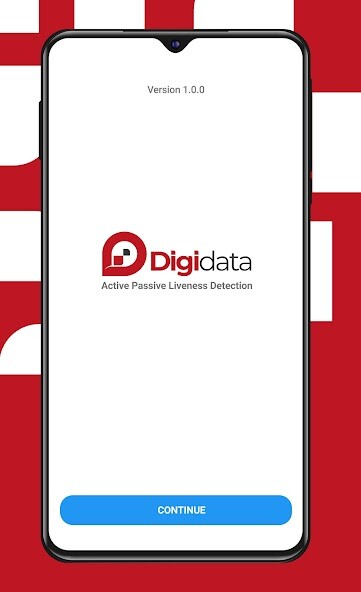
Run this app named ActivePassiveLivenessDetection using MyAndroid.
You can do it using our Android online emulator.
DigiData Active Passive Liveness Detection application is a mobile application to facilitate the process of verifying someone through a selfie and using several gestures liveness detection technology.
Liveness detection is a way to detect biometric characteristics whether they come from humans alive, not representations or inanimate objects.
DigiData Active Passive Liveness Detection application is equipped with biometric algorithms, face recognition and the latest liveness detection technology.
This allows for a more practical and faster verification process, but can effectively protect against various types of presentation or spoofing attacks.
How to verify with DigiData Active Passive Liveness Detection?
1.
Download and install the DigiData Active Passive Liveness Detection application.
2.
Open the app and press the Next button.
Allow the app to take pictures through your device.
3.
Read the instructions then press the Continue button .
4.
Take a selfie in the frame then press the Start button.
Follow the gestures instructions.
5.
Results will appear in a few seconds.
DigiData Active Passive Liveness Detection application can ensure that the application user is a real person, not an engineered photo, image or video, so as to reduce the level of fraud in conducting online transactions.
Download DigiData Active Passive Liveness Detection right now!
Liveness detection is a way to detect biometric characteristics whether they come from humans alive, not representations or inanimate objects.
DigiData Active Passive Liveness Detection application is equipped with biometric algorithms, face recognition and the latest liveness detection technology.
This allows for a more practical and faster verification process, but can effectively protect against various types of presentation or spoofing attacks.
How to verify with DigiData Active Passive Liveness Detection?
1.
Download and install the DigiData Active Passive Liveness Detection application.
2.
Open the app and press the Next button.
Allow the app to take pictures through your device.
3.
Read the instructions then press the Continue button .
4.
Take a selfie in the frame then press the Start button.
Follow the gestures instructions.
5.
Results will appear in a few seconds.
DigiData Active Passive Liveness Detection application can ensure that the application user is a real person, not an engineered photo, image or video, so as to reduce the level of fraud in conducting online transactions.
Download DigiData Active Passive Liveness Detection right now!
MyAndroid is not a downloader online for ActivePassiveLivenessDetection. It only allows to test online ActivePassiveLivenessDetection with apkid id.digidata.active.passive.liveness. MyAndroid provides the official Google Play Store to run ActivePassiveLivenessDetection online.
