

We provide My Heart Rate online (apkid: hk.miniapps.myheartrate) in order to run this application in our online Android emulator.
Description:
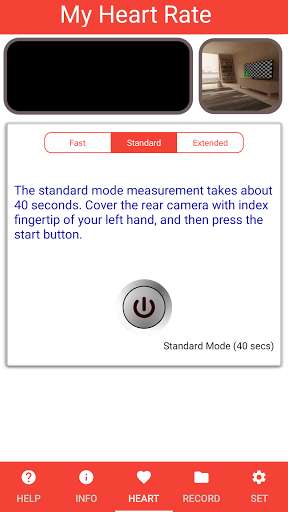
Run this app named My Heart Rate using MyAndroid.
You can do it using our Android online emulator.
My Heart Rate app is designed to let you monitor your heart rate anytime and anywhere, especially before and after exercise.
If you enter your age in the setup page, percentage of the measured heart rate based on your maximum heart rate will be displayed for monitoring your target heart rate in moderate and intense exercises.
How to use this App and main features:
(1) Please your index fingertip to the rear camera lens.
(2) Ensure your fingertip covers the lens completely with the camera window box appearing full red color.
(3) Press the Start button to start the measure.
(4) If the waveform and the measured BPM are stable, press the button again to complete the measurement.
(5) You can press the Save button to record this measurement into the history.
If you enter your age in the setup page, percentage of the measured heart rate based on your maximum heart rate will be displayed for monitoring your target heart rate in moderate and intense exercises.
How to use this App and main features:
(1) Please your index fingertip to the rear camera lens.
(2) Ensure your fingertip covers the lens completely with the camera window box appearing full red color.
(3) Press the Start button to start the measure.
(4) If the waveform and the measured BPM are stable, press the button again to complete the measurement.
(5) You can press the Save button to record this measurement into the history.
MyAndroid is not a downloader online for My Heart Rate. It only allows to test online My Heart Rate with apkid hk.miniapps.myheartrate. MyAndroid provides the official Google Play Store to run My Heart Rate online.
