
We provide Genix PDF Tool online (apkid: genix.pdftool) in order to run this application in our online Android emulator.
Description:
Run this app named Genix PDF Tool using MyAndroid.
You can do it using our Android online emulator.
Image to PDF
Import images and convert them to PDFs.
Text to PDF
Converts text to pdf documents
Scan QR code or Barcodes to PDF
Scan any QR code / Barcode then convert that file into a pdf file.
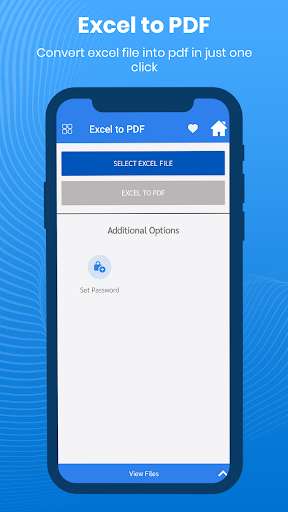
Excel to PDF
Convert easily your excel file into PDF.
And there are many features like.
PDF editor and viewer /Reader
You can edit an existing PDF file and also read your pdf.
Compress PDF files
Support to reduce PDF size through compression.
Set password
You can set a password to protect your PDF files, and encrypt confidential files to be shared to prevent others from peeking at them.
Rotate
Select the page you want to rotate.
Add Text
Add text to your new file or existing one and you can also change the font type of the text.
Add Watermark
Sometimes our file can be a steal and used by someone else for that query we add a watermark feature so you can add watermark to your file.
Merge PDF
Merge two or more PDF files into one PDF file.
Zip to PDF
Convert zip files into PDF easily.
PDF to images
Yes, you can also convert your existing PDF file into images.
And many more things you can do like split any pdf, invert any pdf (black or white), remove duplicate pdf, remove pages from any pdf, extract images from the selected PDF not only that you can also extract text from any PDF.
Import images and convert them to PDFs.
Text to PDF
Converts text to pdf documents
Scan QR code or Barcodes to PDF
Scan any QR code / Barcode then convert that file into a pdf file.
Excel to PDF
Convert easily your excel file into PDF.
And there are many features like.
PDF editor and viewer /Reader
You can edit an existing PDF file and also read your pdf.
Compress PDF files
Support to reduce PDF size through compression.
Set password
You can set a password to protect your PDF files, and encrypt confidential files to be shared to prevent others from peeking at them.
Rotate
Select the page you want to rotate.
Add Text
Add text to your new file or existing one and you can also change the font type of the text.
Add Watermark
Sometimes our file can be a steal and used by someone else for that query we add a watermark feature so you can add watermark to your file.
Merge PDF
Merge two or more PDF files into one PDF file.
Zip to PDF
Convert zip files into PDF easily.
PDF to images
Yes, you can also convert your existing PDF file into images.
And many more things you can do like split any pdf, invert any pdf (black or white), remove duplicate pdf, remove pages from any pdf, extract images from the selected PDF not only that you can also extract text from any PDF.
MyAndroid is not a downloader online for Genix PDF Tool. It only allows to test online Genix PDF Tool with apkid genix.pdftool. MyAndroid provides the official Google Play Store to run Genix PDF Tool online.
