
We provide Dark Pie EMUI 9 + EMUI 10 Theme online (apkid: emui.en.com.piedark) in order to run this application in our online Android emulator.
Description:
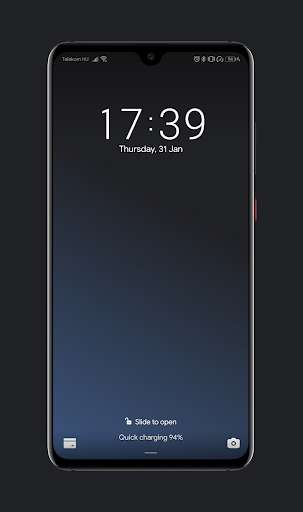
Run this app named Dark Pie EMUI 9 + EMUI 10 Theme using MyAndroid.
You can do it using our Android online emulator.
This theme is designed for EMUI devices.
Works Perfectly on new EMUI Huawei devices.
Old ones with EMUI 5 or EMUI 8 is not supported!
Features: Google Sans, Google Pixel icons, awesome looking : )
I have many more new themes for EMUI 9 and 10! Check out!
IMPORTANT NOTE: Please dont remove the app, if you like this theme!
Updates comes continuously! (Bug Fixes, optimizations.
)
In Google Messages you can enable dark mode.
Just open it, click the right upper 3 dot, and click "Enable Dark mode".
If you like this theme, dont forget to rate it!
When you found any glitch/bug feel free to contact me, and report it.
You can get my email address somewhere here:
Works Perfectly on new EMUI Huawei devices.
Old ones with EMUI 5 or EMUI 8 is not supported!
Features: Google Sans, Google Pixel icons, awesome looking : )
I have many more new themes for EMUI 9 and 10! Check out!
IMPORTANT NOTE: Please dont remove the app, if you like this theme!
Updates comes continuously! (Bug Fixes, optimizations.
)
In Google Messages you can enable dark mode.
Just open it, click the right upper 3 dot, and click "Enable Dark mode".
If you like this theme, dont forget to rate it!
When you found any glitch/bug feel free to contact me, and report it.
You can get my email address somewhere here:
MyAndroid is not a downloader online for Dark Pie EMUI 9 + EMUI 10 Theme. It only allows to test online Dark Pie EMUI 9 + EMUI 10 Theme with apkid emui.en.com.piedark. MyAndroid provides the official Google Play Store to run Dark Pie EMUI 9 + EMUI 10 Theme online.
