

We provide DOMETIC TempLog online (apkid: ek.waeco.templog) in order to run this application in our online Android emulator.
Description:
Run this app named DOMETIC TempLog using MyAndroid.
You can do it using our Android online emulator.
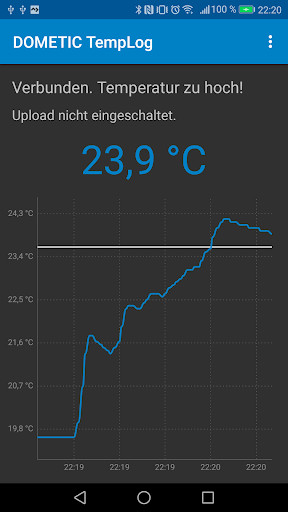
DOMETIC TempLog gives you the most up-to-date temperature data quickly and simply with Bluetooth technology.
How does DOMETIC TempLog work?
To use DOMETIC TempLog you will require a DOMETIC Bluetooth module.
Once activated, the module transmits the current temperature to your Android device.
DOMETIC TempLog will then indicate the temperature in characters.
How do I activate the logging function?
You can enter your access data to the DOMETIC TempLog database in the setup menu of the app.
DOMETIC TempLog will then save the temperature data online every minute, provided you have an active internet connection.
You can read more on this at: http: //log.hcp-technology.com/dometic/?en
How does DOMETIC TempLog work?
To use DOMETIC TempLog you will require a DOMETIC Bluetooth module.
Once activated, the module transmits the current temperature to your Android device.
DOMETIC TempLog will then indicate the temperature in characters.
How do I activate the logging function?
You can enter your access data to the DOMETIC TempLog database in the setup menu of the app.
DOMETIC TempLog will then save the temperature data online every minute, provided you have an active internet connection.
You can read more on this at: http: //log.hcp-technology.com/dometic/?en
MyAndroid is not a downloader online for DOMETIC TempLog. It only allows to test online DOMETIC TempLog with apkid ek.waeco.templog. MyAndroid provides the official Google Play Store to run DOMETIC TempLog online.
