
We provide ndnMouse online (apkid: edu.ucla.cs.ndnmouse) in order to run this application in our online Android emulator.
Description:
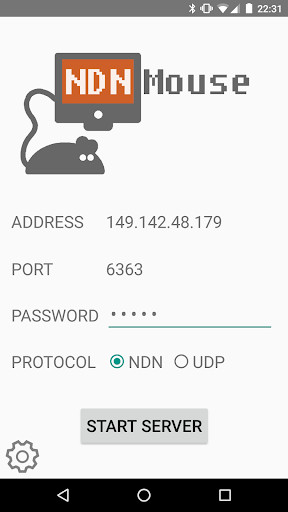
Run this app named ndnMouse using MyAndroid.
You can do it using our Android online emulator.
It's a secure control interface for your PC over named-data-networking (NDN)! It also has UDP support.
This is a school project for me, and has no ads or other means of monetization.
Additionally the open source code is on Github! (see links below)
It currently features mouse control, rudimentary keyboard support (in the form of slideshow control and custom typed messages), two-finger scrolling, and some mouse user settings.
Communication can be run over NDN or UDP, with your PC running one of the Python client scripts provided here:
https: //github.com/wminner/ndnMouse/tree/master/pc_client
Note that NDN must be installed and running on both the PC client (Linux and OSX only) and your android phone.
See additional dependencies here:
https: //github.com/wminner/ndnMouse#how-to-use
This is a school project for me, and has no ads or other means of monetization.
Additionally the open source code is on Github! (see links below)
It currently features mouse control, rudimentary keyboard support (in the form of slideshow control and custom typed messages), two-finger scrolling, and some mouse user settings.
Communication can be run over NDN or UDP, with your PC running one of the Python client scripts provided here:
https: //github.com/wminner/ndnMouse/tree/master/pc_client
Note that NDN must be installed and running on both the PC client (Linux and OSX only) and your android phone.
See additional dependencies here:
https: //github.com/wminner/ndnMouse#how-to-use
MyAndroid is not a downloader online for ndnMouse. It only allows to test online ndnMouse with apkid edu.ucla.cs.ndnmouse. MyAndroid provides the official Google Play Store to run ndnMouse online.
