
We provide TruScan - PDF Scanner online (apkid: dydsoftware.truescan) in order to run this application in our online Android emulator.
Description:
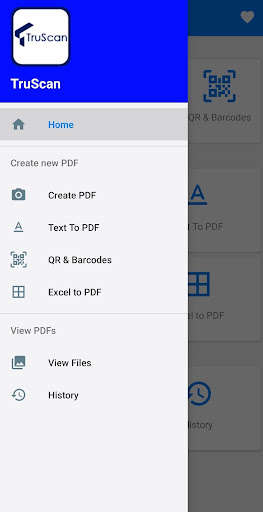
Run this app named TruScan - PDF Scanner using MyAndroid.
You can do it using our Android online emulator.
Simple and easy app that will convert the images from your camera or gallery to PDF.
The scanned image will be saved to the device in PDF format.
Re-arrange and sort images easily.
Now easily password protect your PDF files.
Note - TruScan does not collect data.
Files are only stored on the device after scanning.
Highlights of the app:
Convert Images to PDF
Convert Text to PDF
QR & Barcode Scanner
Convert Excel to PDF
System supported: Android 5 and above
Scanner features :
- Convert and save PDF files to your device.
-Easily crop and rotate images after uploading.
- Image compression - Easily compress images by selecting the desired value to reduce space consumption.
- Filter images - Auto fix,Gray Scale, Brightness, contrast and many more filter options available.
- Easily set page size
-Image scaling option available
-Border width can be set as per choice
- Margin setting available
- Page numbers can be added to the list of scanned images.
- Page color can be changed easily with a palette option.
- Watermark - Yes, you can add a watermark of your preferred text , angle, color , font and font size.
- Password Protect - You can password protect your PDF files for increased privacy.
- Preview - Preview option available allowing you to rearrange and sort accordingly.
- Scan Bar codes and easily convert the files to PDF.
- Convert Excel docs to PDF and also password protect.
- View,manage and share files easily.
and many more.
Please do send all your feedback and suggestions to [email protected]
We'd love to hear from you all.
The scanned image will be saved to the device in PDF format.
Re-arrange and sort images easily.
Now easily password protect your PDF files.
Note - TruScan does not collect data.
Files are only stored on the device after scanning.
Highlights of the app:
Convert Images to PDF
Convert Text to PDF
QR & Barcode Scanner
Convert Excel to PDF
System supported: Android 5 and above
Scanner features :
- Convert and save PDF files to your device.
-Easily crop and rotate images after uploading.
- Image compression - Easily compress images by selecting the desired value to reduce space consumption.
- Filter images - Auto fix,Gray Scale, Brightness, contrast and many more filter options available.
- Easily set page size
-Image scaling option available
-Border width can be set as per choice
- Margin setting available
- Page numbers can be added to the list of scanned images.
- Page color can be changed easily with a palette option.
- Watermark - Yes, you can add a watermark of your preferred text , angle, color , font and font size.
- Password Protect - You can password protect your PDF files for increased privacy.
- Preview - Preview option available allowing you to rearrange and sort accordingly.
- Scan Bar codes and easily convert the files to PDF.
- Convert Excel docs to PDF and also password protect.
- View,manage and share files easily.
and many more.
Please do send all your feedback and suggestions to [email protected]
We'd love to hear from you all.
MyAndroid is not a downloader online for TruScan - PDF Scanner. It only allows to test online TruScan - PDF Scanner with apkid dydsoftware.truescan. MyAndroid provides the official Google Play Store to run TruScan - PDF Scanner online.
