
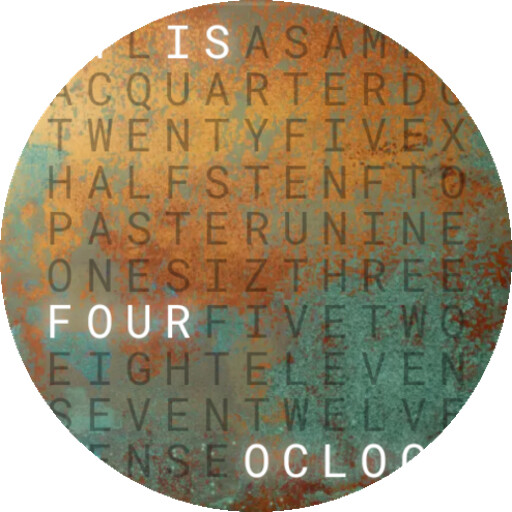
We provide Word Clock Widget online (apkid: dev.tpoe.wordclock.widget) in order to run this application in our online Android emulator.
Description:
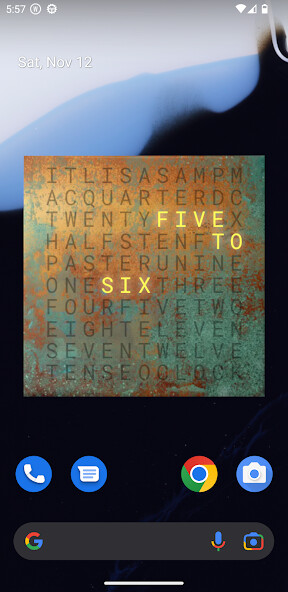
Run this app named Word Clock Widget using MyAndroid.
You can do it using our Android online emulator.
The Word Clock is now available for your android phone.
Show the time in words.
The Word Clock Widget bridges the gap between modern design and classic watch.
Features:
- Customize font size, background, text and highlight color
- Choose between circle and square layout
- Minute dots
- Date indicator
- Dark and light Theme
- Battery efficient: Native code, optimized to use as little energy as possible
Available languages:
- Arabic (Thanks to Faisal Adel Abdulrahim Husain)
- Catalan (Thanks to Marc Ballester)
- Croatian (Thanks to Silvia Blazic)
- Dutch
- English
- Finnish (Thanks to TeeQxQ)
- French
- German
- Italien (Thanks to Lorenzo Geromel)
- Korean (Thanks to Luca Shin)
- Latin
- Norwegian (Thanks to TaSsEn)
- Polish (Thanks to Maya Monir)
- Portuguese (Thanks to Adriano Ponte)
- Russian (Thanks to Anatoliy Gaivoronskiy)
- Spanish (Thanks to Oscar Fuentes)
- Swedish
- Turkish (Thanks to Jasar)
Show the time in words.
The Word Clock Widget bridges the gap between modern design and classic watch.
Features:
- Customize font size, background, text and highlight color
- Choose between circle and square layout
- Minute dots
- Date indicator
- Dark and light Theme
- Battery efficient: Native code, optimized to use as little energy as possible
Available languages:
- Arabic (Thanks to Faisal Adel Abdulrahim Husain)
- Catalan (Thanks to Marc Ballester)
- Croatian (Thanks to Silvia Blazic)
- Dutch
- English
- Finnish (Thanks to TeeQxQ)
- French
- German
- Italien (Thanks to Lorenzo Geromel)
- Korean (Thanks to Luca Shin)
- Latin
- Norwegian (Thanks to TaSsEn)
- Polish (Thanks to Maya Monir)
- Portuguese (Thanks to Adriano Ponte)
- Russian (Thanks to Anatoliy Gaivoronskiy)
- Spanish (Thanks to Oscar Fuentes)
- Swedish
- Turkish (Thanks to Jasar)
MyAndroid is not a downloader online for Word Clock Widget. It only allows to test online Word Clock Widget with apkid dev.tpoe.wordclock.widget. MyAndroid provides the official Google Play Store to run Word Clock Widget online.
