
We provide NAO control online (apkid: de.daboapps.androidnao) in order to run this application in our online Android emulator.
Description:
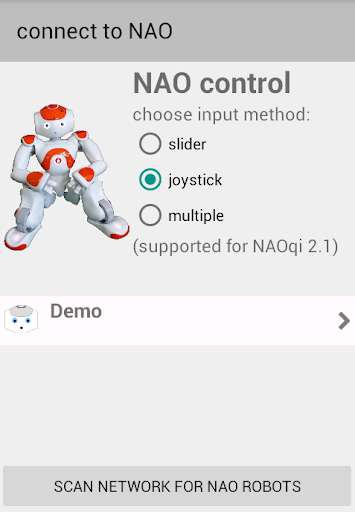
Run this app named NAO control using MyAndroid.
You can do it using our Android online emulator.
control a NAO robot (NAOqi 2.1) with your smartphone
supported features:
- LEDs: switch on/off, change intensity, choose color
- head: move head, show camera, speak any text
- arms: move arms, elbows and hands, open/close hands
- body: stand, sit, crouch, lying
- walk and turn
three input methodes:
- slider
- joystick
- multiple (allows you to control multiple features at the same time, e.g.
head and walk)
supported features:
- LEDs: switch on/off, change intensity, choose color
- head: move head, show camera, speak any text
- arms: move arms, elbows and hands, open/close hands
- body: stand, sit, crouch, lying
- walk and turn
three input methodes:
- slider
- joystick
- multiple (allows you to control multiple features at the same time, e.g.
head and walk)
MyAndroid is not a downloader online for NAO control. It only allows to test online NAO control with apkid de.daboapps.androidnao. MyAndroid provides the official Google Play Store to run NAO control online.
