

We provide Xoom Driver online (apkid: com.xoomrides.driver) in order to run this application in our online Android emulator.
Description:
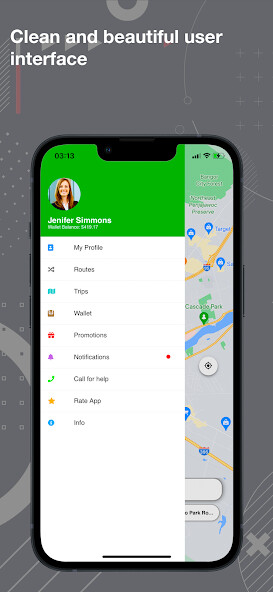
Run this app named Xoom Driver using MyAndroid.
You can do it using our Android online emulator.
Why use the XoomRides app?
Rides on demand
Request a ride at any time and on any day of the year.
Budget-friendly options
Compare prices on every kind of ride, from daily commutes to special evenings out.
An easy way to get around
Tap and let your driver take you where you want to go, worry-free.
How to request a ride/get a price estimate
Here's how to request a ride in the XoomRides app:
1.
Open your app and enter your destination in the "Where to?" field.
2.
Swipe up to see all vehicle options available in your area.
Tap one to select it for your ride, then tap "Choose your Ride" (button will be your vehicle selection).
3.
You may be asked to confirm your pickup location.
If so, move the pin on the map, or select from a list of locations.
Tap "Confirm Pickup" to send your request to eligible drivers in the area.
4.
If you're not asked to confirm your pickup, tap "Confirm your Vehicle" (button will be your vehicle selection) to send your request to eligible drivers in the area.
5.
Once a driver accepts your request, you'll see their location and estimated time of arrival on the map.
XoomRides will send you notifications when your driver is close to your pickup location.
In some cities you can request a ride with multiple stops.
Visit this article for instructions:
Request a ride with multiple stops
You can request that your driver make multiple stops when requesting a ride.
Here's how:
1.
Open the Xoom app and tap the "Where To?" box
2.
Tap "+ Add multiple stops" to add up to 2 additional stops
3.
Tap "DONE" to continue
Stops will be made in the order they're added.
To remove a stop, tap the "X" next to it.
Remember to keep each stop under 3 minutes.
If you're splitting your fare, it will be split for the entire ride, not split by the cost to each stop.
XoomRides Support: For help reach us at +1(603) 314-3338
Rides on demand
Request a ride at any time and on any day of the year.
Budget-friendly options
Compare prices on every kind of ride, from daily commutes to special evenings out.
An easy way to get around
Tap and let your driver take you where you want to go, worry-free.
How to request a ride/get a price estimate
Here's how to request a ride in the XoomRides app:
1.
Open your app and enter your destination in the "Where to?" field.
2.
Swipe up to see all vehicle options available in your area.
Tap one to select it for your ride, then tap "Choose your Ride" (button will be your vehicle selection).
3.
You may be asked to confirm your pickup location.
If so, move the pin on the map, or select from a list of locations.
Tap "Confirm Pickup" to send your request to eligible drivers in the area.
4.
If you're not asked to confirm your pickup, tap "Confirm your Vehicle" (button will be your vehicle selection) to send your request to eligible drivers in the area.
5.
Once a driver accepts your request, you'll see their location and estimated time of arrival on the map.
XoomRides will send you notifications when your driver is close to your pickup location.
In some cities you can request a ride with multiple stops.
Visit this article for instructions:
Request a ride with multiple stops
You can request that your driver make multiple stops when requesting a ride.
Here's how:
1.
Open the Xoom app and tap the "Where To?" box
2.
Tap "+ Add multiple stops" to add up to 2 additional stops
3.
Tap "DONE" to continue
Stops will be made in the order they're added.
To remove a stop, tap the "X" next to it.
Remember to keep each stop under 3 minutes.
If you're splitting your fare, it will be split for the entire ride, not split by the cost to each stop.
XoomRides Support: For help reach us at +1(603) 314-3338
MyAndroid is not a downloader online for Xoom Driver. It only allows to test online Xoom Driver with apkid com.xoomrides.driver. MyAndroid provides the official Google Play Store to run Xoom Driver online.
