
We provide Smart Remote control : Universal TV remote online (apkid: com.waysoft.smarttv.smarttv) in order to run this application in our online Android emulator.
Description:
Run this app named Smart Remote control : Universal TV remote using MyAndroid.
You can do it using our Android online emulator.
smart remote Android remote is a free app with a clone of the original android TV remote functions and also a touchpad feature.
All the remote functions are now available on the Smart remote control for the Android TVs app.
Try this amazing Smart Remote control application to turn your Android device into a remote.
So far the best Universal TV remote app for android users.
Enjoy and let us know your precious opinion on the improvement of this universal remote app.
Setup:
Both devices should be connected to one Wi-Fi network or the same Bluetooth.
Open the universal TV remote app, enter the pin and connect to the android TV instantly.
Just turn on your TV and enter the pin displayed on the screen and now you can control your android TV with your Android device.
Moreover, with support for Wi-Fi , the app will allow you to browse audio and Video files on your smartphone.
Using an infrared blaster, TV Universal can control more than a million different infrared appliances.
Believe me, user friendly universal remote control for TV would be your love electronic universal TV controller.
As mobile phone has become a major gadget that people always carry with them, so having an application installed on your mobile device that works as a TV remote control will make your life easier.
It is always good and easy to use a single Universal remote control device to control all you electronic equipment.
We will work on to make this application compatible with your TV.
Touch gestures for eyes-free control, mute/pause on phone call, macros for chained commands, automated tasks, widgets.
We know that the first steps are not so easy.
Therefore we offer you lots of help:
A continuous growing list of tutorial videos, which shows simple step by step instruction for different features.
A continuous growing list of frequently asked questions.
If you still have questions, don't worry.
Contact us via mail and together we should solve every problem.
Features:
\tUse All type of remote control in single app.
\tsupported most of popular brand of TV
\twide range of devices.
& Easy To Use & Free To Use
\tRemote control for all TV brand.
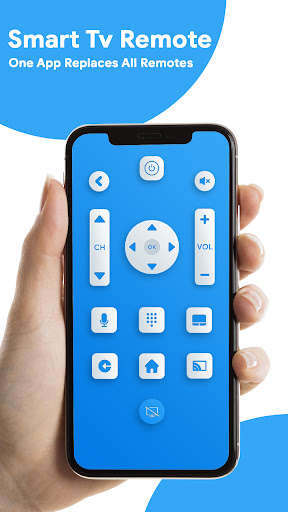
\tChannel digits buttons.
\tRemote control TV on a mobile app for Android.
\tVolume up-down control and channel up-down control.
\tcreate remote control just one time and set the name of remote control and use it \ton one touch
Note: Your TV cannot be switched on with this application.
If your TV is OFF, it is unable to take commands through a Wi-Fi connection
All the remote functions are now available on the Smart remote control for the Android TVs app.
Try this amazing Smart Remote control application to turn your Android device into a remote.
So far the best Universal TV remote app for android users.
Enjoy and let us know your precious opinion on the improvement of this universal remote app.
Setup:
Both devices should be connected to one Wi-Fi network or the same Bluetooth.
Open the universal TV remote app, enter the pin and connect to the android TV instantly.
Just turn on your TV and enter the pin displayed on the screen and now you can control your android TV with your Android device.
Moreover, with support for Wi-Fi , the app will allow you to browse audio and Video files on your smartphone.
Using an infrared blaster, TV Universal can control more than a million different infrared appliances.
Believe me, user friendly universal remote control for TV would be your love electronic universal TV controller.
As mobile phone has become a major gadget that people always carry with them, so having an application installed on your mobile device that works as a TV remote control will make your life easier.
It is always good and easy to use a single Universal remote control device to control all you electronic equipment.
We will work on to make this application compatible with your TV.
Touch gestures for eyes-free control, mute/pause on phone call, macros for chained commands, automated tasks, widgets.
We know that the first steps are not so easy.
Therefore we offer you lots of help:
A continuous growing list of tutorial videos, which shows simple step by step instruction for different features.
A continuous growing list of frequently asked questions.
If you still have questions, don't worry.
Contact us via mail and together we should solve every problem.
Features:
\tUse All type of remote control in single app.
\tsupported most of popular brand of TV
\twide range of devices.
& Easy To Use & Free To Use
\tRemote control for all TV brand.
\tChannel digits buttons.
\tRemote control TV on a mobile app for Android.
\tVolume up-down control and channel up-down control.
\tcreate remote control just one time and set the name of remote control and use it \ton one touch
Note: Your TV cannot be switched on with this application.
If your TV is OFF, it is unable to take commands through a Wi-Fi connection
MyAndroid is not a downloader online for Smart Remote control : Universal TV remote. It only allows to test online Smart Remote control : Universal TV remote with apkid com.waysoft.smarttv.smarttv. MyAndroid provides the official Google Play Store to run Smart Remote control : Universal TV remote online.
