
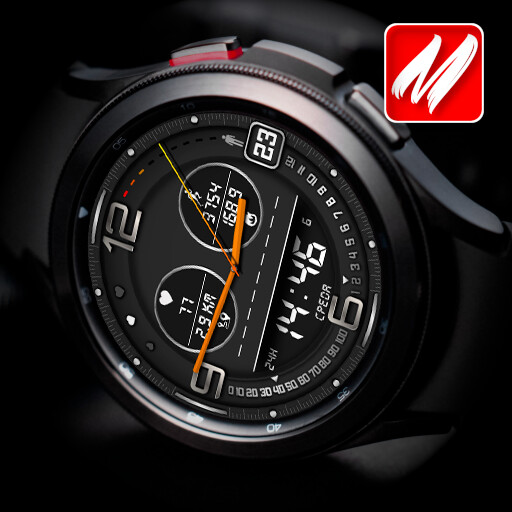
We provide MyWF_Epic online (apkid: com.watchfacestudio.mywf.epic) in order to run this application in our online Android emulator.
Description:
Run this app named MyWF_Epic using MyAndroid.
You can do it using our Android online emulator.
Search "mywf" to get more.
This watch face is for all WearOS devices but not for Oppo!
It needs Samsung Health application to provide Steps, Distance and Heart rate information.
Quick launch buttons use Samsung app IDs.
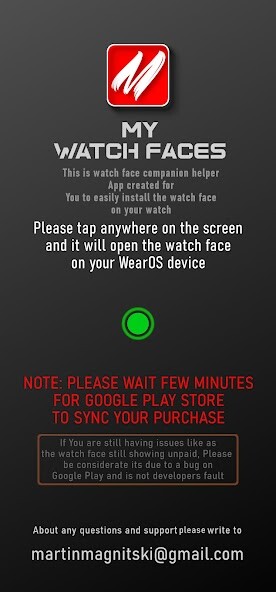
This is Companion Helper App created for you to easily and faster install this watch face on your watch.
INSTALLATION GUIDE!
- Make sure the watch is properly connected to the phone.
- Open this Companion App and tap on GREEN button and check your watch.
- The Play Market will open on the watch with this watch face,
and if the installation does not start automatically, click Install.
- done.
NOTE!
If asked to pay twice on your watch, please wait a few minutes
for Google Play to synchronize your purchase with your watch.
Watch face info:
- daily steps;
- 12/24h auto;
- Tap zones;
- Steps scale;
- HR;
- Changeable colors.
Please learn pics before buy.
To update heart rate please tap once on the HR icon and wait for a 10 sec.
Use long press on the watch face to customize.
Always on display mode is avialable.
This watch face is for all WearOS devices but not for Oppo!
It needs Samsung Health application to provide Steps, Distance and Heart rate information.
Quick launch buttons use Samsung app IDs.
This is Companion Helper App created for you to easily and faster install this watch face on your watch.
INSTALLATION GUIDE!
- Make sure the watch is properly connected to the phone.
- Open this Companion App and tap on GREEN button and check your watch.
- The Play Market will open on the watch with this watch face,
and if the installation does not start automatically, click Install.
- done.
NOTE!
If asked to pay twice on your watch, please wait a few minutes
for Google Play to synchronize your purchase with your watch.
Watch face info:
- daily steps;
- 12/24h auto;
- Tap zones;
- Steps scale;
- HR;
- Changeable colors.
Please learn pics before buy.
To update heart rate please tap once on the HR icon and wait for a 10 sec.
Use long press on the watch face to customize.
Always on display mode is avialable.
MyAndroid is not a downloader online for MyWF_Epic. It only allows to test online MyWF_Epic with apkid com.watchfacestudio.mywf.epic. MyAndroid provides the official Google Play Store to run MyWF_Epic online.
