
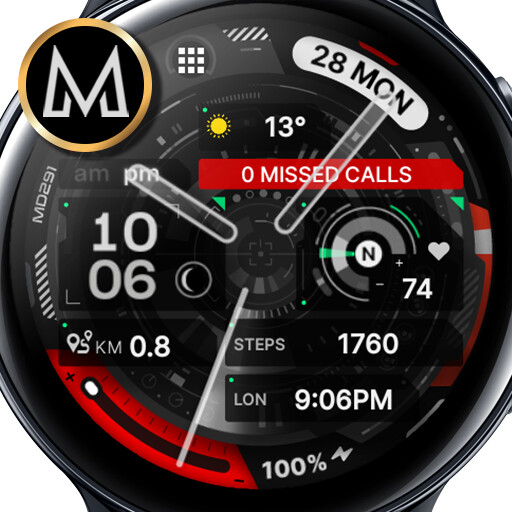
We provide MD291: Hybrid watch face online (apkid: com.watchfacestudio.md291b) in order to run this application in our online Android emulator.
Description:
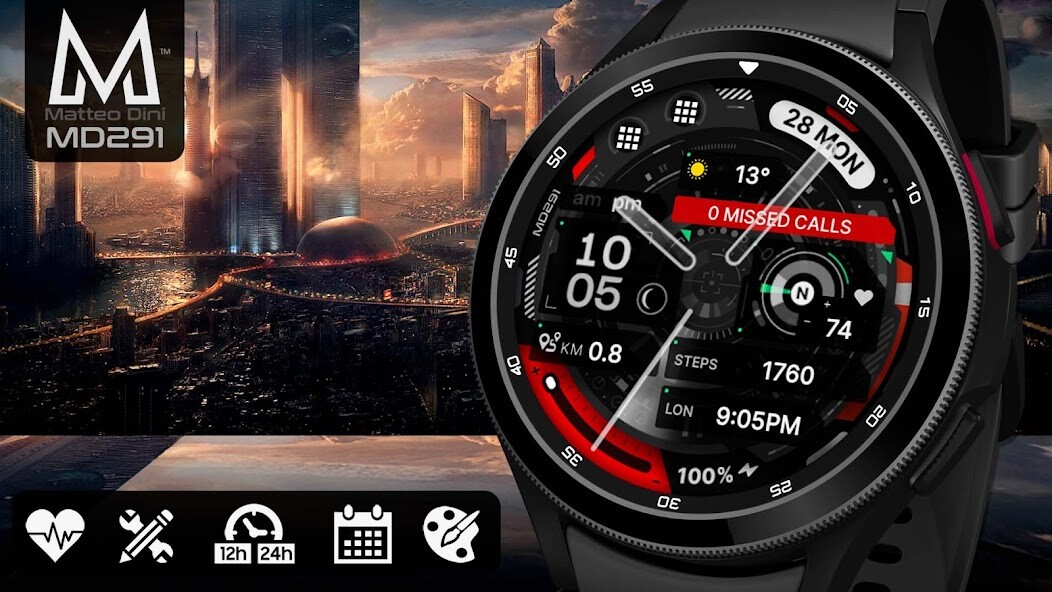
Run this app named MD291: Hybrid watch face using MyAndroid.
You can do it using our Android online emulator.
The MD291 is a Modern Digital/Analog Wear OS watch face by Matteo Dini MD.
It contains 2 Preset App shortcuts, 2 customizable shortcuts, steps, heart rate, moved distance in KM or Miles, moon phase, date, 4 customizable complications where you can have the data you prefer such as "barometer", "weather" (etc.), changeable colors and more.
Installation Notes:
1 - Make sure the watch is properly connected to the phone.
After a few minutes the watch face will transferred on watch : check the watch faces installed by the Wearable app on the phone.
or
2 - If you are having synchronization problems between your phone and Play Store, install the app directly from watch: search "MD291" from Play Store on watch and hit on install button.
3 - Alternatively, try installing the watch face from web browser on your PC.
Please consider that any issues on this side are NOT developer dependent.
The developer has no control over the Play Store from this side.
Thank you.
This watch face supports all Wear OS devices with API Level 28+.
Write to [email protected] if you need assistance.
Watch face features:
- 12/24hr (based on phone settings)
- Date
- Battery
- Heart rate*
- Heart rate intervals
- Moved Distance KM/MI**
- Steps
- 2 Preset app shortcuts
- 2 customizable shortcuts
- 4 customizable fields / complications
- Always ON Display supported with changeable colors
- Changeable font colors
- Changeable hands
- Changeable backgrounds
- Changeable stripes
Customization:
1 - Touch and hold display
2 - Tap on customize option
Preset APP Shortcuts:
- Battery Status
- Measure HR
Customizable field/complication:
you can customize the fields with the any data you want.
For example, you can select weather, steps, time zone, sunset/sunrise, barometer, next appointment and more.
*Heart Rate Notes:
The watch face does not automatically measure and does not automatically display the HR result when installed.
To view your current heart rate data youll need to take a manual measurement.
To do this, tap on the heart rate display area (see images).
Wait a few seconds.
The watch face will take a measurement and display the current result.
After the first manual measurement, the watch face can automatically measure your heart rate every 10 minutes.
Manual measurement will also be possible.
**Distance KM/MI:
The watch face uses an arithmetic formula to calculate the distance:
1 km = 1312 steps
1 mile = 2100 steps.
Mileage will automatically show on devices with language set to UK and US English.
For other languages, the distance will be shown in KM.
***some features may not be available on some watches.
Let's keep in touch !
Matteo Dini MD is a well-known and ultra-awarded brand in the watch faces world!
Some references:
Best of Galaxy Store Awards 2019 Winner Interview:
https: //developer.samsung.com/sdp/blog/en-us/2020/05/26/best-of-galaxy-store-awards-2019-winner-matteo-dini-on-building-a-successful-brand
#1 Samsung Mobile Press:
https: //www.samsungmobilepress.com/featurestories/samsung-celebrates-best-of-galaxy-store-awards-at-sdc-2019
#2 Samsung Mobile Press:
https: //www.samsungmobilepress.com/featurestories/make-it-your-galaxy-customize-your-favorite-galaxy-devices-with-the-galaxy-store
Matteo Dini MD is also a registered trademark in the United States and Europe.
Newsletter:
Sign up to stay updated with new watch faces and promotions!
http: //eepurl.com/hlRcvf
FACEBOOK:
https: //www.facebook.com/matteodiniwatchfaces
INSTAGRAM:
https: //www.instagram.com/mdwatchfaces/
TELEGRAM:
https: //t.me/mdwatchfaces
WEB:
https: //www.matteodinimd.com
-
Thank you !
It contains 2 Preset App shortcuts, 2 customizable shortcuts, steps, heart rate, moved distance in KM or Miles, moon phase, date, 4 customizable complications where you can have the data you prefer such as "barometer", "weather" (etc.), changeable colors and more.
Installation Notes:
1 - Make sure the watch is properly connected to the phone.
After a few minutes the watch face will transferred on watch : check the watch faces installed by the Wearable app on the phone.
or
2 - If you are having synchronization problems between your phone and Play Store, install the app directly from watch: search "MD291" from Play Store on watch and hit on install button.
3 - Alternatively, try installing the watch face from web browser on your PC.
Please consider that any issues on this side are NOT developer dependent.
The developer has no control over the Play Store from this side.
Thank you.
This watch face supports all Wear OS devices with API Level 28+.
Write to [email protected] if you need assistance.
Watch face features:
- 12/24hr (based on phone settings)
- Date
- Battery
- Heart rate*
- Heart rate intervals
- Moved Distance KM/MI**
- Steps
- 2 Preset app shortcuts
- 2 customizable shortcuts
- 4 customizable fields / complications
- Always ON Display supported with changeable colors
- Changeable font colors
- Changeable hands
- Changeable backgrounds
- Changeable stripes
Customization:
1 - Touch and hold display
2 - Tap on customize option
Preset APP Shortcuts:
- Battery Status
- Measure HR
Customizable field/complication:
you can customize the fields with the any data you want.
For example, you can select weather, steps, time zone, sunset/sunrise, barometer, next appointment and more.
*Heart Rate Notes:
The watch face does not automatically measure and does not automatically display the HR result when installed.
To view your current heart rate data youll need to take a manual measurement.
To do this, tap on the heart rate display area (see images).
Wait a few seconds.
The watch face will take a measurement and display the current result.
After the first manual measurement, the watch face can automatically measure your heart rate every 10 minutes.
Manual measurement will also be possible.
**Distance KM/MI:
The watch face uses an arithmetic formula to calculate the distance:
1 km = 1312 steps
1 mile = 2100 steps.
Mileage will automatically show on devices with language set to UK and US English.
For other languages, the distance will be shown in KM.
***some features may not be available on some watches.
Let's keep in touch !
Matteo Dini MD is a well-known and ultra-awarded brand in the watch faces world!
Some references:
Best of Galaxy Store Awards 2019 Winner Interview:
https: //developer.samsung.com/sdp/blog/en-us/2020/05/26/best-of-galaxy-store-awards-2019-winner-matteo-dini-on-building-a-successful-brand
#1 Samsung Mobile Press:
https: //www.samsungmobilepress.com/featurestories/samsung-celebrates-best-of-galaxy-store-awards-at-sdc-2019
#2 Samsung Mobile Press:
https: //www.samsungmobilepress.com/featurestories/make-it-your-galaxy-customize-your-favorite-galaxy-devices-with-the-galaxy-store
Matteo Dini MD is also a registered trademark in the United States and Europe.
Newsletter:
Sign up to stay updated with new watch faces and promotions!
http: //eepurl.com/hlRcvf
FACEBOOK:
https: //www.facebook.com/matteodiniwatchfaces
INSTAGRAM:
https: //www.instagram.com/mdwatchfaces/
TELEGRAM:
https: //t.me/mdwatchfaces
WEB:
https: //www.matteodinimd.com
-
Thank you !
MyAndroid is not a downloader online for MD291: Hybrid watch face. It only allows to test online MD291: Hybrid watch face with apkid com.watchfacestudio.md291b. MyAndroid provides the official Google Play Store to run MD291: Hybrid watch face online.
