

We provide Digital Basic 5B online (apkid: com.watchfacestudio.digitalbasic524) in order to run this application in our online Android emulator.
Description:
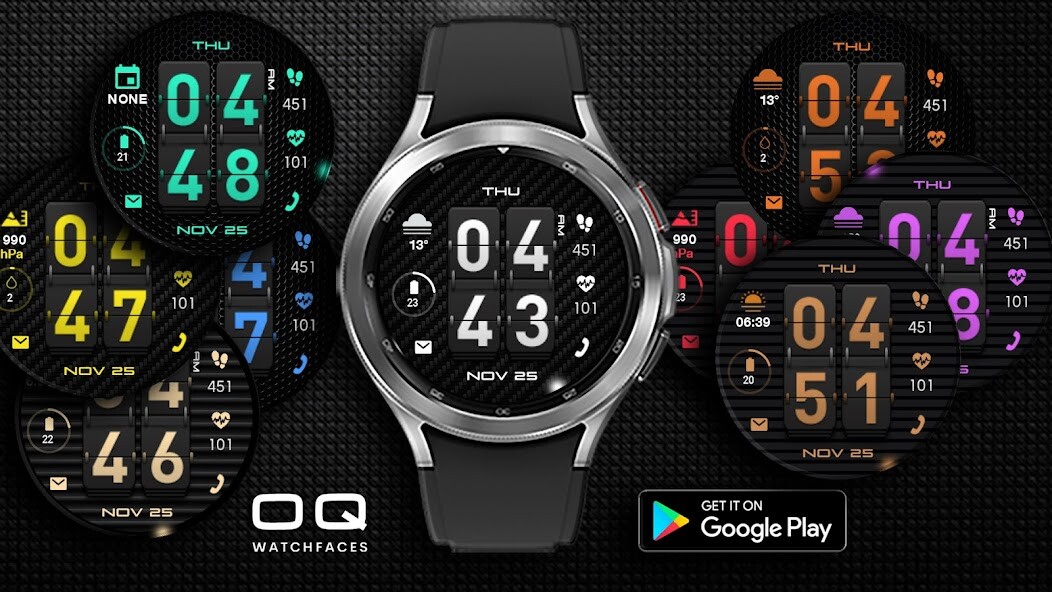
Run this app named Digital Basic 5B using MyAndroid.
You can do it using our Android online emulator.
The watch face has following features: -
1.
10 x color customization available via customization menu by long pressing the watch face.
2.
5 x background covers customizable via customization menu .
3.
Tapping on phone icon will open 3atch phone dial
4.
Tapping on messages icon will open messages app
5.
Tapping on Battery will open battery settings.
This is a user customizable complication via
long press watch face customization menu.
6.
Tapping on Day text will open Alarm.
7 Tapping on Month or date text will open Calendar app.
8 The rotating glow dot is the animation showing seconds.
9 Tap on heart it will stay red till it takes reading and then update the text.
1.
10 x color customization available via customization menu by long pressing the watch face.
2.
5 x background covers customizable via customization menu .
3.
Tapping on phone icon will open 3atch phone dial
4.
Tapping on messages icon will open messages app
5.
Tapping on Battery will open battery settings.
This is a user customizable complication via
long press watch face customization menu.
6.
Tapping on Day text will open Alarm.
7 Tapping on Month or date text will open Calendar app.
8 The rotating glow dot is the animation showing seconds.
9 Tap on heart it will stay red till it takes reading and then update the text.
MyAndroid is not a downloader online for Digital Basic 5B. It only allows to test online Digital Basic 5B with apkid com.watchfacestudio.digitalbasic524. MyAndroid provides the official Google Play Store to run Digital Basic 5B online.
