

We provide vFlat Scan - PDF Scanner, OCR online (apkid: com.voyagerx.scanner) in order to run this application in our online Android emulator.
Description:
Run this app named vFlat Scan - PDF Scanner, OCR using MyAndroid.
You can do it using our Android online emulator.
Named one of the Hidden gems of 2019 by Google Play!
Are you looking for a powerful yet free-to-use mobile scanner?
vFlat Scan is a free-to-use scanning app that turns images taken with a mobile phone into high-quality PDF or JPG images.
vFlat Scan provides unlimited scanning without annoying watermark nor ads, nor any sign-in! Too good to be true? Download for free and try vFlat Scan right away to find it out.
vFlat Scan automatically recognizes the border of the document, cropping and correcting it.
No manual cropping is necessary!
You can also convert the captured image to text using its OCR feature and search for or copy specific keyword you want.
Key features of vFlat
1.
Automatic cropping and recognition function
Automatically recognizes and crops the borders of documents or book pages to be scanned.
It's easy to use anytime, anywhere, and you get clean scan results from any angle.
2.
Free Text recognition(OCR)
Text recognition allows you to convert scanned images into text.
You can easily copy the converted text and share it with friends.
3.
Search
Enter keywords and quickly find relevant documents.
The search function is available after completing OCR.
4.Export to PDF file
You can convert the scanned image to a PDF file.
You can sort the page order, choose the PDF quality, and adjust the color.
5.
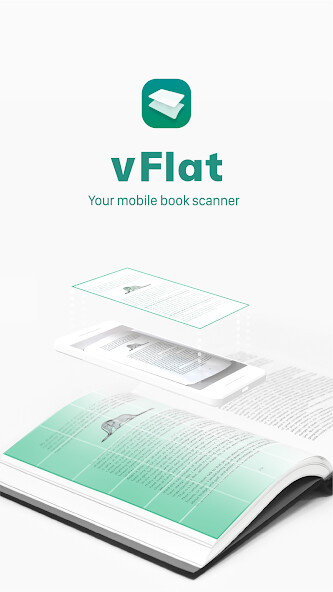
Book scanning
It automatically corrects the curved surface of the page and erases your finger.
You can get the same scan results as taken with a professional book scanner.
In the two-page shooting mode, you can shoot the left and right pages at once, and store them in a split.
Privacy Policy
-Terms of Use https: //www.notion.so/vflat/f5e2ecfb147248749621749012d233b6
- Privacy Policy: https: //www.notion.so/vflat/Privacy-Policy
- Summary of policy change: https: //www.notion.so/vflat/vFlat-cd27d3390b444c22978a5f392b66e3f2
Permission Overview
- Camera: vFlat needs permission to use the camera to scan books.
- Storage: vFlat needs permission to store scanned pages in your phone.
Compatibility vFlat works on devices that support Android version 6.0 or higher, RAM 2 GB or higher, OpenGL ES 3.1 or higher.
If you like vFlat, please leave a review! Wed love to hear your feedback: [[email protected]]
vFlat open beta
Be the first to experience new vFlat.
Go to vFlat page in Play Store and scroll down.
You will see [Join the beta].
If you need more details, please refer to the link below.
https: //www.notion.so/Try-new-vFlat-app-before-official-release-fde48e65dabd488a9b7a4a770e7e90de
Are you looking for a powerful yet free-to-use mobile scanner?
vFlat Scan is a free-to-use scanning app that turns images taken with a mobile phone into high-quality PDF or JPG images.
vFlat Scan provides unlimited scanning without annoying watermark nor ads, nor any sign-in! Too good to be true? Download for free and try vFlat Scan right away to find it out.
vFlat Scan automatically recognizes the border of the document, cropping and correcting it.
No manual cropping is necessary!
You can also convert the captured image to text using its OCR feature and search for or copy specific keyword you want.
Key features of vFlat
1.
Automatic cropping and recognition function
Automatically recognizes and crops the borders of documents or book pages to be scanned.
It's easy to use anytime, anywhere, and you get clean scan results from any angle.
2.
Free Text recognition(OCR)
Text recognition allows you to convert scanned images into text.
You can easily copy the converted text and share it with friends.
3.
Search
Enter keywords and quickly find relevant documents.
The search function is available after completing OCR.
4.Export to PDF file
You can convert the scanned image to a PDF file.
You can sort the page order, choose the PDF quality, and adjust the color.
5.
Book scanning
It automatically corrects the curved surface of the page and erases your finger.
You can get the same scan results as taken with a professional book scanner.
In the two-page shooting mode, you can shoot the left and right pages at once, and store them in a split.
Privacy Policy
-Terms of Use https: //www.notion.so/vflat/f5e2ecfb147248749621749012d233b6
- Privacy Policy: https: //www.notion.so/vflat/Privacy-Policy
- Summary of policy change: https: //www.notion.so/vflat/vFlat-cd27d3390b444c22978a5f392b66e3f2
Permission Overview
- Camera: vFlat needs permission to use the camera to scan books.
- Storage: vFlat needs permission to store scanned pages in your phone.
Compatibility vFlat works on devices that support Android version 6.0 or higher, RAM 2 GB or higher, OpenGL ES 3.1 or higher.
If you like vFlat, please leave a review! Wed love to hear your feedback: [[email protected]]
vFlat open beta
Be the first to experience new vFlat.
Go to vFlat page in Play Store and scroll down.
You will see [Join the beta].
If you need more details, please refer to the link below.
https: //www.notion.so/Try-new-vFlat-app-before-official-release-fde48e65dabd488a9b7a4a770e7e90de
MyAndroid is not a downloader online for vFlat Scan - PDF Scanner, OCR. It only allows to test online vFlat Scan - PDF Scanner, OCR with apkid com.voyagerx.scanner. MyAndroid provides the official Google Play Store to run vFlat Scan - PDF Scanner, OCR online.
