
We provide HomeQlik online (apkid: com.vkey.northshore) in order to run this application in our online Android emulator.
Description:
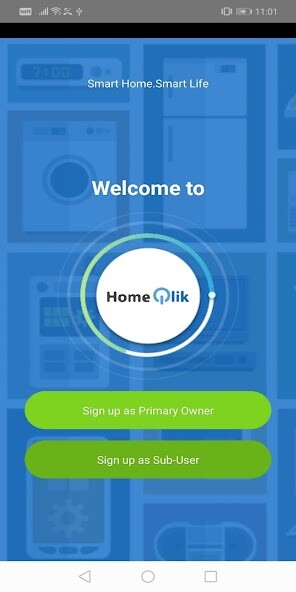
Run this app named HomeQlik using MyAndroid.
You can do it using our Android online emulator.
HomeQlik app allows residents to leverage on the installed smart sockets and smart distribution board in their home to monitor their household electricity consumption.
Key Features
Viewing of power consumption by type of appliances (such as AirCon and water heater)
With energy monitoring at the socket outlet, users will be able to know how much electrical consumption each of their appliance is using.
Viewing of electrical usage by daily basis, monthly basis
Users now do not have to wait until the end of the month to know how much electricity they are using, as all these information will be available at their fingertips, via this app
***
Set Up in 3 easy steps
To set up, all you need is be at home with a smartphone and internet connectivity in the house.
- Step 1: Power up your smart DB/Turn ON power to your home
- Step 2: Follow registration steps in the app
- Step 3: Youre all set.
Log in to have information about your household electrical consumption at your fingertips
Feedback
We want to hear from you! For feedback, questions or concerns, please email us at [email protected]
Note
There can be only 1 primary user for each household.
All energy consumption data from this app is for reference purpose and shall not be compared against monthly electricity bill from your electrical retailer.
Common Issues
Should registration fail after 5 attempts, please call the hotline at 63165358 for technical assistance.
Key Features
Viewing of power consumption by type of appliances (such as AirCon and water heater)
With energy monitoring at the socket outlet, users will be able to know how much electrical consumption each of their appliance is using.
Viewing of electrical usage by daily basis, monthly basis
Users now do not have to wait until the end of the month to know how much electricity they are using, as all these information will be available at their fingertips, via this app
***
Set Up in 3 easy steps
To set up, all you need is be at home with a smartphone and internet connectivity in the house.
- Step 1: Power up your smart DB/Turn ON power to your home
- Step 2: Follow registration steps in the app
- Step 3: Youre all set.
Log in to have information about your household electrical consumption at your fingertips
Feedback
We want to hear from you! For feedback, questions or concerns, please email us at [email protected]
Note
There can be only 1 primary user for each household.
All energy consumption data from this app is for reference purpose and shall not be compared against monthly electricity bill from your electrical retailer.
Common Issues
Should registration fail after 5 attempts, please call the hotline at 63165358 for technical assistance.
MyAndroid is not a downloader online for HomeQlik. It only allows to test online HomeQlik with apkid com.vkey.northshore. MyAndroid provides the official Google Play Store to run HomeQlik online.
