

We provide Tally Sale online (apkid: com.tallysale) in order to run this application in our online Android emulator.
Description:
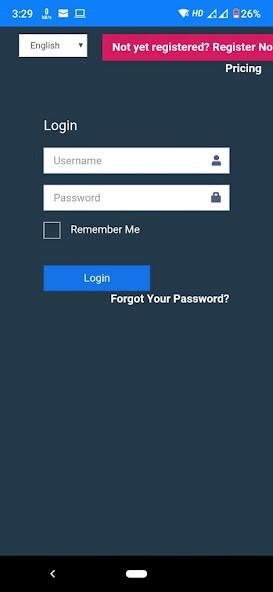
Run this app named Tally Sale using MyAndroid.
You can do it using our Android online emulator.
Tally Sale is a perfect POS solution for any kind of business.
Your business may be a cafe, bar, restaurant, coffee shop, beauty salon, food truck, car wash, book store or any other business.
You may have more than one outlet which you want to manage online, Tally Sale POS is the solution.
Install Tally Sale to your Tablet or Phone and convert it into a complete Smart POS today.
Tally Sale app is with no ads, no contracts, no credit cards, and no commitments.
You can replace your conventional cash register and billing system withTally Sale POS and start tracking sales and inventory in real time.
Create items, view sales/ inventory reports, manage multiple stores in the cloud web portal.
Tally Sale supports with many printers.
You can simply connect Bluetooth, Cable, Wi-Fi or USB printer.
Some of the Main Areas
1.
INVOICING / BILLING
Work offline
Both Landscape and Portrait Interfaces
Items Display with Images or without images
Number keypad option
Bill Split
Full control over pricing/Qty/Taxes/Discounts (item vs full value)
Easy access to the important interfaces via MORE button
Comprehensive Payment Interface
Clear information visibility
Multi Payments
Send Receipt via email
2.
SALES MANAGEMENT
View past invoices and re-print
Manage Drawer Transactions & Reasons
Issue & cancel credit note
Credit settlement option
Manage other Charges ( Ex.
Service/Delivery etc)
Order types ( Ex.
Dining/Take away)
Manage employee details ( can be attached to bill when needed)
Currency in the bill ( manage multiple currencies and issue the bill)
Cash notes (manage the payment interface with needed cash notes)
3.
INVENTORY MANAGEMENT
Add/modify/delete Products
Bundling (Bundle few products and create one product.
Ex.
Promotion)
Manage tax (Create tax codes and attached with products Ex.
GST/VAT)
Manage product categories
Price change (Individual or bulk)
Add Stock- GRN (Individual or bulk)
Return stocks
Transfer stocks ( Transfer within locations)
Manage suppliers and issue purchase orders
4.
CUSTOMER MANAGEMENT
Create Customers (Fill the profile even with image)
Run Loyalty Program
Create agents ( can be attached to invoices when needed)
Record customer feedback
Record customer orders
Connect social media inside the app
5.
REPORTS
Past invoices & Daily Sales
Revenue Reports & Cashier wise reports
Stock Movements
Credit Note reports
Settlement Reports
User Access reports
Etc.
WEB BASED BACK OFFICE
- Complete Reports and Analytics
- Manage Items
- Manage Stocks
- Create Loyalty Programs
- Manage Terminals
- Manage Users
========================================================================
For more details about hardware please visit
https: //tallysale.com/crm/public/login
For the resellers, please contact us for partnerships via
[email protected]
Your business may be a cafe, bar, restaurant, coffee shop, beauty salon, food truck, car wash, book store or any other business.
You may have more than one outlet which you want to manage online, Tally Sale POS is the solution.
Install Tally Sale to your Tablet or Phone and convert it into a complete Smart POS today.
Tally Sale app is with no ads, no contracts, no credit cards, and no commitments.
You can replace your conventional cash register and billing system withTally Sale POS and start tracking sales and inventory in real time.
Create items, view sales/ inventory reports, manage multiple stores in the cloud web portal.
Tally Sale supports with many printers.
You can simply connect Bluetooth, Cable, Wi-Fi or USB printer.
Some of the Main Areas
1.
INVOICING / BILLING
Work offline
Both Landscape and Portrait Interfaces
Items Display with Images or without images
Number keypad option
Bill Split
Full control over pricing/Qty/Taxes/Discounts (item vs full value)
Easy access to the important interfaces via MORE button
Comprehensive Payment Interface
Clear information visibility
Multi Payments
Send Receipt via email
2.
SALES MANAGEMENT
View past invoices and re-print
Manage Drawer Transactions & Reasons
Issue & cancel credit note
Credit settlement option
Manage other Charges ( Ex.
Service/Delivery etc)
Order types ( Ex.
Dining/Take away)
Manage employee details ( can be attached to bill when needed)
Currency in the bill ( manage multiple currencies and issue the bill)
Cash notes (manage the payment interface with needed cash notes)
3.
INVENTORY MANAGEMENT
Add/modify/delete Products
Bundling (Bundle few products and create one product.
Ex.
Promotion)
Manage tax (Create tax codes and attached with products Ex.
GST/VAT)
Manage product categories
Price change (Individual or bulk)
Add Stock- GRN (Individual or bulk)
Return stocks
Transfer stocks ( Transfer within locations)
Manage suppliers and issue purchase orders
4.
CUSTOMER MANAGEMENT
Create Customers (Fill the profile even with image)
Run Loyalty Program
Create agents ( can be attached to invoices when needed)
Record customer feedback
Record customer orders
Connect social media inside the app
5.
REPORTS
Past invoices & Daily Sales
Revenue Reports & Cashier wise reports
Stock Movements
Credit Note reports
Settlement Reports
User Access reports
Etc.
WEB BASED BACK OFFICE
- Complete Reports and Analytics
- Manage Items
- Manage Stocks
- Create Loyalty Programs
- Manage Terminals
- Manage Users
========================================================================
For more details about hardware please visit
https: //tallysale.com/crm/public/login
For the resellers, please contact us for partnerships via
[email protected]
MyAndroid is not a downloader online for Tally Sale. It only allows to test online Tally Sale with apkid com.tallysale. MyAndroid provides the official Google Play Store to run Tally Sale online.
