

We provide PDFtool online (apkid: com.szfj.pdftools) in order to run this application in our online Android emulator.
Description:
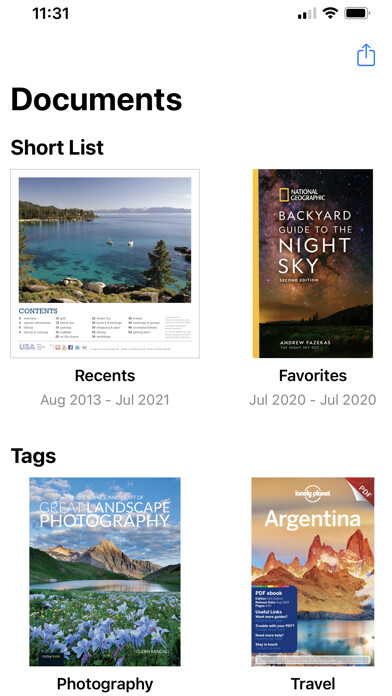
Run this app named PDFtool using MyAndroid.
You can do it using our Android online emulator.
PDF editing and scanning almighty king, the effect is comparable to the business software of a thousand yuan scanner, at the same time it has high-precision picture text extraction function, professional scanning software.
Quickly scan documents, cards (identity cards, etc.), driver's licenses, photos, pictures, etc., intelligently generate standard scans, accurate text recognition, identification of animals and plants, identification of wine, identification of dishes, PDF editing, modification and export in one go!
Application Features
[Accurate text recognition] Take photos to recognize text, automatically ignore the cluttered background, and quickly convert paper document images into clear scans in a few seconds.
[Multiple Scan Modes] Support single and multiple scanning, support documents, contracts, notes, books, and other content scanning, batch recognition of text in pictures, and support editing, copying, and exporting PDF files.
[Scanned Document Management] Scan the recognized text and pictures to quickly generate high-definition documents and save them in real time, view and manage them, integrate them into folders, reorder them, export PDF files, etc., for convenient management.
[Multiple recognition modes] Based on artificial intelligence big data, it can accurately and quickly scan and recognize animals, plants, flowers, fruits and vegetables, dishes, car models, brand logos, currencies, and object scenes (general object recognition).
Quickly scan documents, cards (identity cards, etc.), driver's licenses, photos, pictures, etc., intelligently generate standard scans, accurate text recognition, identification of animals and plants, identification of wine, identification of dishes, PDF editing, modification and export in one go!
Application Features
[Accurate text recognition] Take photos to recognize text, automatically ignore the cluttered background, and quickly convert paper document images into clear scans in a few seconds.
[Multiple Scan Modes] Support single and multiple scanning, support documents, contracts, notes, books, and other content scanning, batch recognition of text in pictures, and support editing, copying, and exporting PDF files.
[Scanned Document Management] Scan the recognized text and pictures to quickly generate high-definition documents and save them in real time, view and manage them, integrate them into folders, reorder them, export PDF files, etc., for convenient management.
[Multiple recognition modes] Based on artificial intelligence big data, it can accurately and quickly scan and recognize animals, plants, flowers, fruits and vegetables, dishes, car models, brand logos, currencies, and object scenes (general object recognition).
MyAndroid is not a downloader online for PDFtool. It only allows to test online PDFtool with apkid com.szfj.pdftools. MyAndroid provides the official Google Play Store to run PDFtool online.
